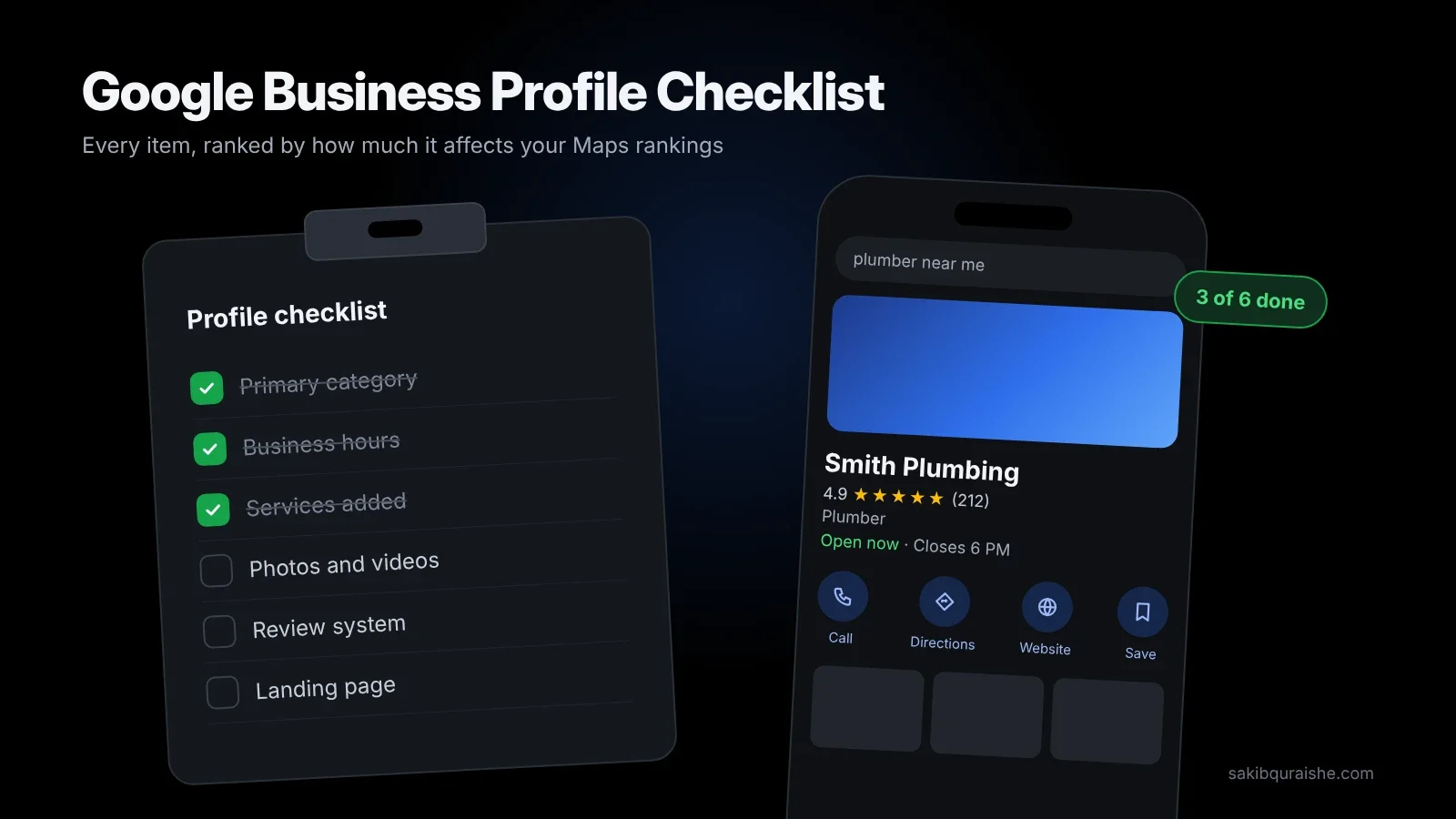
- This is the 54-item checklist I run on every profile, each item tagged by how much it affects rankings.
- Start with the Big impact items: ownership, primary category, real business name, accurate hours, address or service area, predefined services and a steady review flow.
- Skip what no longer exists: native chat ended in 2024 and Q&A has been replaced by Ask Maps.
- Take a baseline GeoGrid scan before you change anything, so you can prove what worked.
- Repeat the weekly, monthly and quarterly upkeep list at the end.
I've optimized 200+ Google Business Profiles, and I still run this exact list on every new client. Most checklists online treat every field as equally important. They aren't. Getting your primary category right can move you several positions; adding a fifth photo of your reception desk won't.
So every item below carries a tag showing how much it affects your Maps rankings (not how hard it is to do):
- [Big impact]: among the top 30 local pack factors in Whitespark's 2026 Local Search Ranking Factors survey. Do these first.
- [Medium impact]: ranked 31–100, or a clear trust signal for customers.
- [Small impact]: little or no ranking effect, but still worth doing because it helps customers choose you.
- [Suspension risk]: getting this wrong can get your profile suspended, whatever its ranking impact.
Want the reasoning behind each step? Read my complete guide to Google Business Profile optimization.
How do you use this checklist?
You use this checklist top to bottom on a new profile, and section by section on an existing one. New listings need every one-time setup item. Existing listings usually have the basics, so start with the Big impact items you haven't done, then move to Medium impact.
Count an item as done only when it's complete and correct, not when the field merely has something in it.
New to local SEO? Start with what is local SEO and how it works.
Before you start: 3 checks
- Take a baseline GeoGrid scan for your top 3 keywords across your service area. Without it, you can't prove anything moved. Here's how to read a GeoGrid scan.
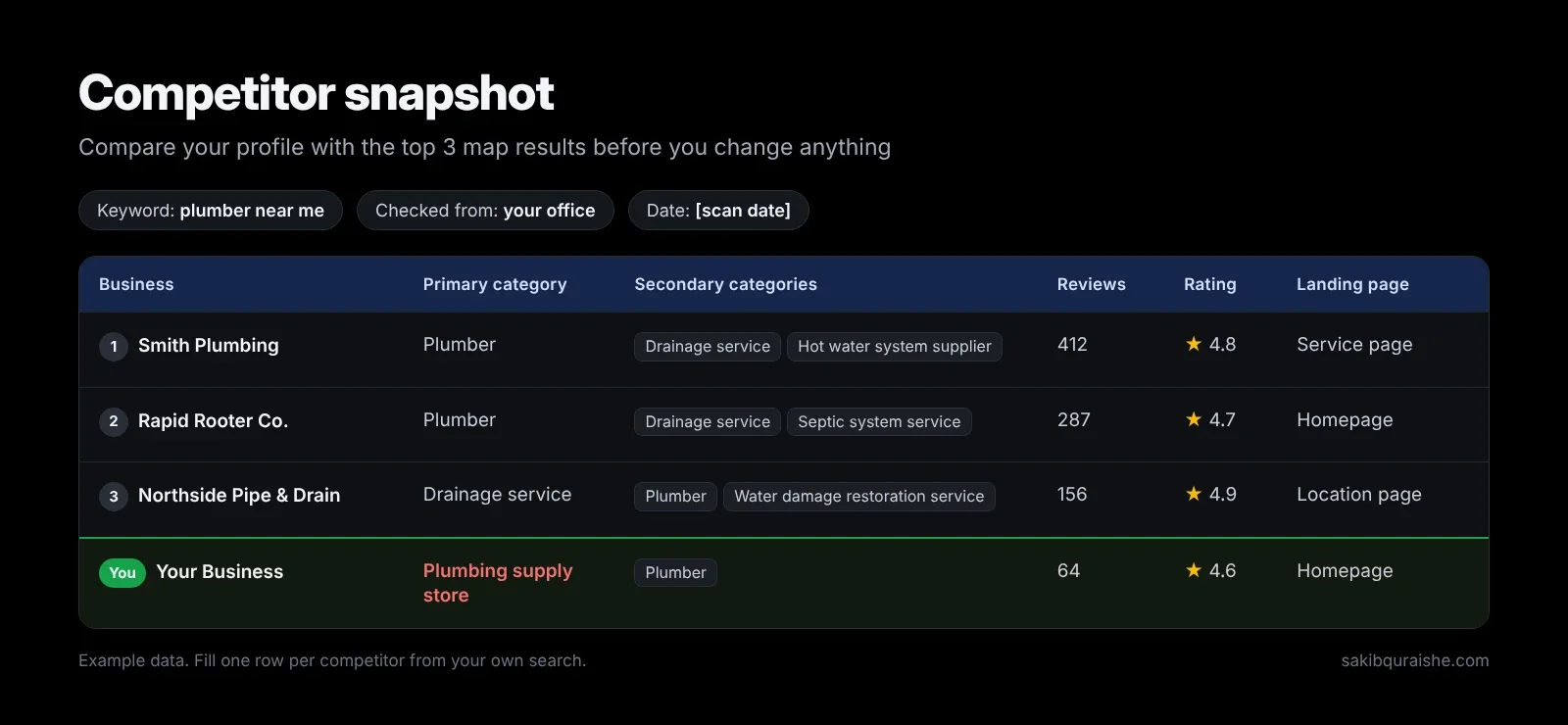
- Snapshot your top 3 map competitors: their primary and secondary categories, review count, rating and the page their profile links to.
- Export your current Performance data: calls, direction requests, website clicks and search terms for the last 3 months.
Not sure what each Performance metric means? See reading GBP Insights: calls, directions and website clicks.
1. Ownership, access and security
These come first because a profile you don't control can be edited, hijacked or lost.
- [Big impact] The profile is verified. Unverified profiles have limited visibility and you can't reply to reviews.
- [Big impact] Primary owner is a Google account the business controls, not a staff member's personal Gmail or an agency.
- [Big impact] 2-Step Verification is on for every owner and manager account.
- [Medium impact] Agencies and freelancers have Manager access, not ownership.
- [Medium impact] Ex-staff and former agencies are removed. Check this every quarter.
- [Suspension risk] There is only one profile per location. Duplicates split reviews and can trigger suspensions. Here's how to find and merge duplicate listings.
2. Core business information
This is where the biggest ranking gains sit. Six of the top ten local pack factors in the Whitespark 2026 Local Search Ranking Factors live in this section.
- [Big impact] [Suspension risk] The business name matches your signage, website and legal documents exactly. No added keywords, city names or slogans. Why this matters: keyword stuffing in business names.
- [Big impact] The primary category is the most specific one that matches your main revenue service. Check what the top 3 competitors use first.
- [Big impact] Secondary categories cover every other service you genuinely offer, and nothing you don't. My guide to choosing GBP categories covers both.
- [Big impact] Storefront businesses show a real, staffed address with permanent signage. Service-area businesses hide the address. Not sure which you are? Read service-area business vs storefront businesses in local SEO.
- [Big impact] The map pin sits on your actual entrance, not the middle of the plaza or the wrong side of the road.
- [Suspension risk] Service areas reflect where you really work, within roughly two hours' drive of your base.
- [Big impact] Regular hours are accurate. Being open at the time of search ranked #5 in the 2026 survey, so extend real hours if you can, but never list hours you don't keep.
- [Big impact] Special hours are set for public holidays and closures, ideally a few weeks ahead.
- [Medium impact] The main phone number is a local number the business controls.
- [Medium impact] The website link goes to the page that best matches your primary category, with UTM tags so you can track it in GA4.
- [Small impact] The opening date is filled in with the real founding month and year.
3. Services, products and attributes
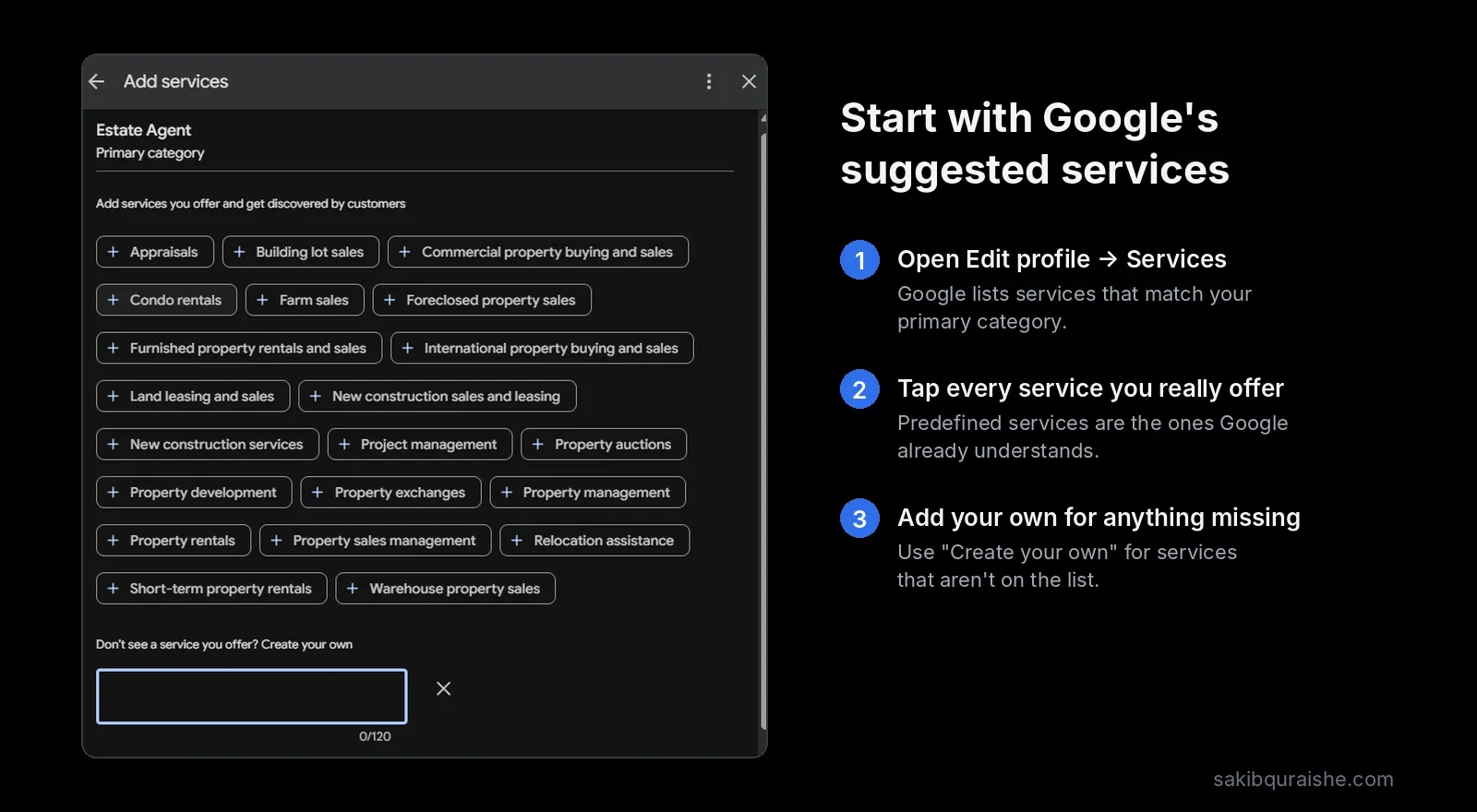
Services are the most underrated part of most profiles I audit. Google's predefined services ranked #22 in the 2026 survey, up from near the bottom in 2023.
- [Big impact] Every predefined service Google suggests for your categories is ticked, if you offer it.
- [Big impact] Custom services are added for anything missing, using the words customers search ("emergency leak repair", not "Rapid Response Package").
- [Small impact] Each service has a short, factual description. You get up to about 1,000 characters; you rarely need more than two sentences.
- [Small impact] Products are added if your category supports them (common for retail and trades with clear packages).
- [Medium impact] Every attribute that's true is selected, including identity attributes such as women-owned or veteran-owned where they apply.
4. Business description
Keywords in the description ranked #171 of 187, so this is about converting readers, not ranking.
- [Small impact] The description (up to 750 characters) says what you do, who you serve, where, and why customers pick you, in the first two sentences.
- [Suspension risk] It contains no links, phone numbers, prices, promotions or keyword lists.
5. Photos and videos
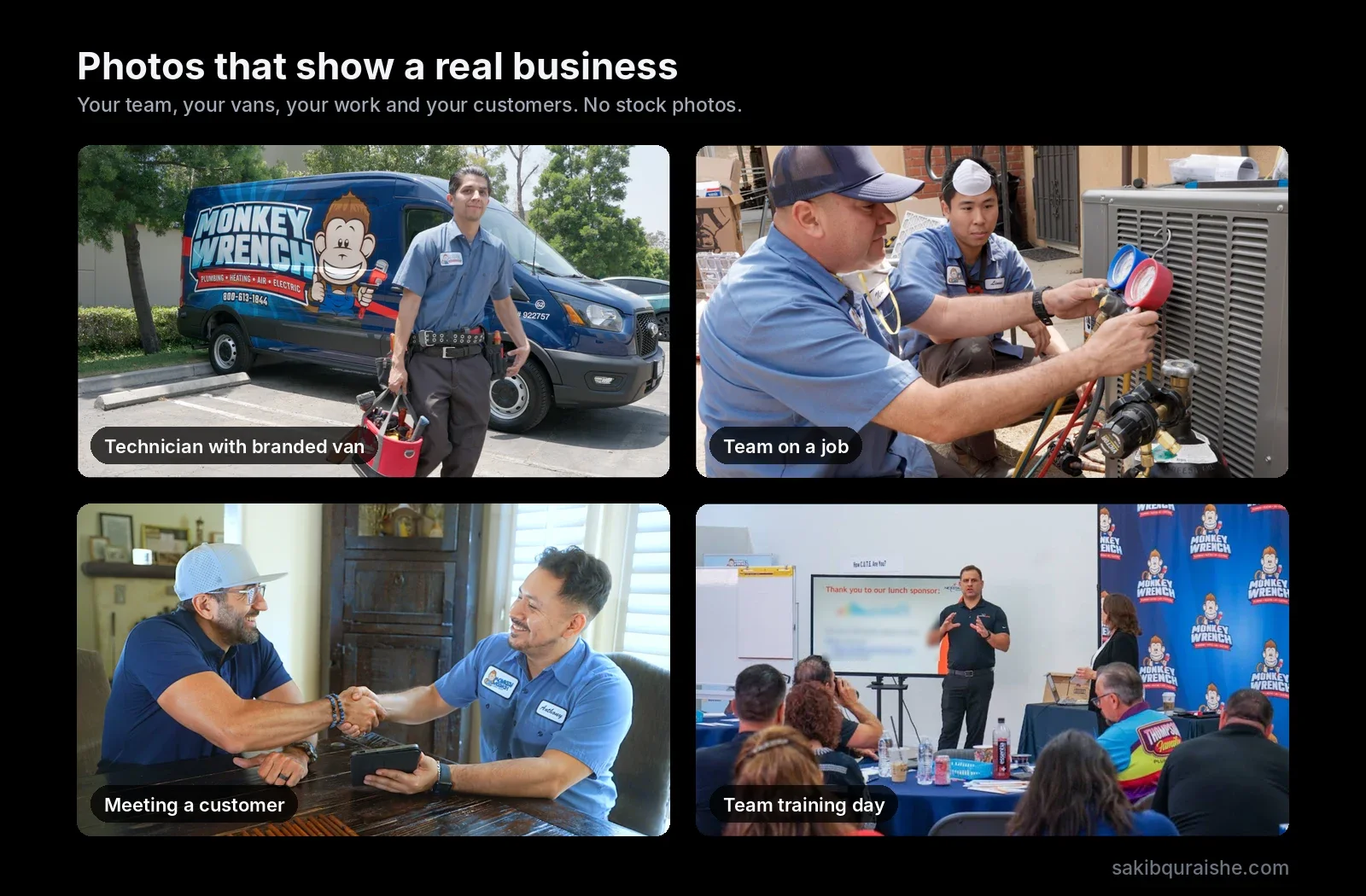
Photo quality and relevance matter more than count. In the Whitespark 2026 Local Search Ranking Factors, photo and video quality ranked #45, while photo quantity ranked #96 and geotagged photos came dead last.
- [Medium impact] A square logo and a landscape cover photo are uploaded, and you've checked how both crop on mobile.
- [Medium impact] At least three each of exterior, interior (storefronts), team and work or product photos are live.
- [Medium impact] [Suspension risk] Every image is real: no stock photos and no AI-generated images, which Whitespark's experts list as a suspension risk.
- [Small impact] Photos follow Google's guidelines: JPG or PNG, roughly 10 KB to 5 MB, ideally around 720 × 720 px or larger.
- [Small impact] One or two short videos (under 30 seconds) show real work.
- [Small impact] You add two or three fresh photos a month. Skip geotagging; it doesn't help.
More on what to shoot and what to skip in GBP photos and videos: what actually helps rankings.
6. Reviews
Four review factors made the 2026 top 15: high rating (#6), number of text reviews (#9), recency (#11) and a steady flow over time (#14).
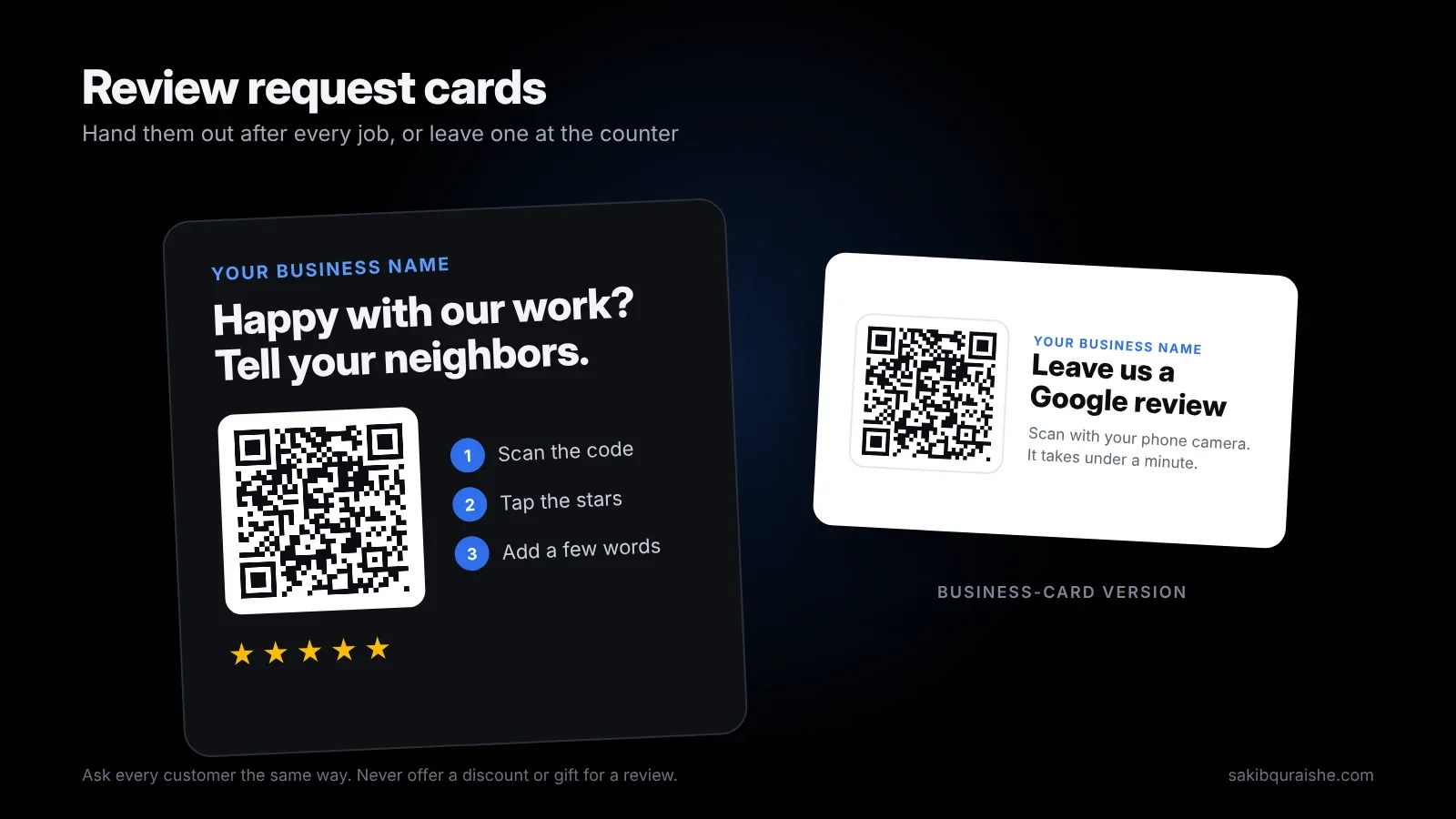
- [Big impact] You have your direct review link and a QR code, and both work on mobile.
- [Big impact] Every customer gets the same review request at the same moment, such as right after the job is done.
- [Big impact] New reviews arrive every month, not in bursts.
- [Medium impact] You reply to every review within a few days, good or bad, without revealing private details.
- [Small impact] Replies sound human. Keywords in owner responses ranked #182, so don't stuff them.
- [Suspension risk] No incentives, no review gating, no staff or family reviews. Google's Maps content policy bans all three.
- [Small impact] Fake or policy-breaking reviews are flagged from your profile.
Scripts and timing are in how to get more Google reviews, and reply wording in how to respond to Google reviews.
7. Posts and other features
These mostly help people choose you once they've found you. Two features many checklists still mention are gone: Google removed native chat and call history on July 31, 2024, and the Q&A section has been replaced by Ask Maps, Gemini-powered answers built from your profile, reviews and website.
- [Small impact] You publish a useful post every one to two weeks, with a real photo and a call-to-action button.
- [Small impact] Booking or appointment links are added if you take bookings.
- [Small impact] SMS or WhatsApp messaging is on only if someone answers it quickly; otherwise it's off.
- [Small impact] Social profile links are added. Sterling Sky notes Google accepts several but shows only a handful, so fill in the ones you want displayed.
- [Medium impact] Answers customers would ask (pricing approach, areas served, emergency service) are written on your website and service fields, because that's what Ask Maps draws on.
Post ideas and frequency are covered in Google Business Profile posts: what to post and how often.
8. Your landing page
- [Big impact] The page your profile links to shows the exact same name, address and phone, in plain text.
- [Big impact] Its title tag and H1 include your main service and city.
- [Medium impact] It has LocalBusiness schema that matches your profile.
- [Medium impact] Call and booking buttons work on mobile in one tap.
Here's why NAP consistency still matters, and how to add LocalBusiness schema.
9. Protection
- [Medium impact] You check for "Google updates" to your profile weekly and reject wrong suggested edits.
- [Medium impact] Competitors with keyword-stuffed names or fake addresses are reported. Removing spam listings ranked #19.
- [Suspension risk] Your team knows Google never charges for verification or reinstatement and never asks for codes by phone.
Step-by-step: how to report fake Google Maps listings.
10. AI search visibility
- [Medium impact] Once a month, you ask Google Maps, ChatGPT and Gemini 3–4 questions a customer would ask, and note whether you're mentioned and whether the details are right.
- [Medium impact] Your name, address, phone and categories match on the major directories in your industry, since citations dominate the AI visibility factors in Whitespark's survey.
More in GEO explained: getting recommended by ChatGPT, Gemini and Perplexity and on my AEO / GEO service page.
Weekly, monthly and quarterly upkeep
Weekly (about 30 minutes)
- Reply to new reviews
- Check for Google updates and suggested edits
- Send review requests for completed jobs
Every 1–2 weeks
- Publish one post with a real photo
Monthly
- Add 2–3 new photos
- Run a GeoGrid scan on the same keywords and grid
- Review calls, directions, website clicks and search terms
- Run your AI search questions
Quarterly
- Re-check competitor categories and your own services
- Remove ex-staff and unused users
- Check NAP on your top directories
- Set special hours for the next quarter's holidays
To fit this checklist into a wider plan, see how to build a 90-day local SEO strategy.
Red flags: what not to do
Any one of these can get a profile suspended. If it happens, here's what to do when your Google Business Profile is suspended.
- Adding keywords or city names to your business name
- Showing an address you don't staff, or a virtual office
- Listing hours you don't actually keep
- Setting huge service areas
- Uploading stock or AI-generated photos
- Buying, incentivizing or gating reviews
- Changing name, address and category all at once
More in the most common local SEO mistakes.
FAQ
How often should you update your Google Business Profile? You should update your Google Business Profile weekly for reviews and edits, every one to two weeks for posts, and monthly for photos and performance checks. Change core details only when the business itself changes.
What is the most important item on a Google Business Profile checklist? The most important item is your primary category. It ranked #1 of 187 local pack factors in Whitespark's 2026 survey and decides which searches you can appear for.
How long does it take to see results after completing the checklist? It usually takes 8 to 12 weeks to see clear map movement after completing the checklist, based on the campaigns I run. Competitive metro markets can take three to six months.
Do I still need to add Q&A to my Google Business Profile? You don't need to add Q&A anymore. Google has replaced the Q&A section with Ask Maps, so put common answers on your website and in your services instead.
Can I do this checklist myself? You can do most of this checklist yourself in a few hours. The harder parts are picking the right categories, building a steady review flow and measuring results across your whole service area.
Want a second pair of eyes?
I'll run this checklist on your profile and a GeoGrid scan of your area for free. Request a free local map audit, or see how I handle it end to end in my Local SEO service.
Sources
- Whitespark: 2026 Local Search Ranking Factors
- Google: Chat and call history changes
- BrightLocal: Google Business Profile Q&A
- Sterling Sky: Ultimate checklist to boost your GBP
- Google: Maps user contributed content policy (open before publishing; cited from earlier research)
- Competitor posts read: Klutch Growth, True Future Media, Dalton Luka, Nazmc, Local Falcon, Futuro Digital, Sterling Sky, Whitespark guide index. Scribd could not be accessed.