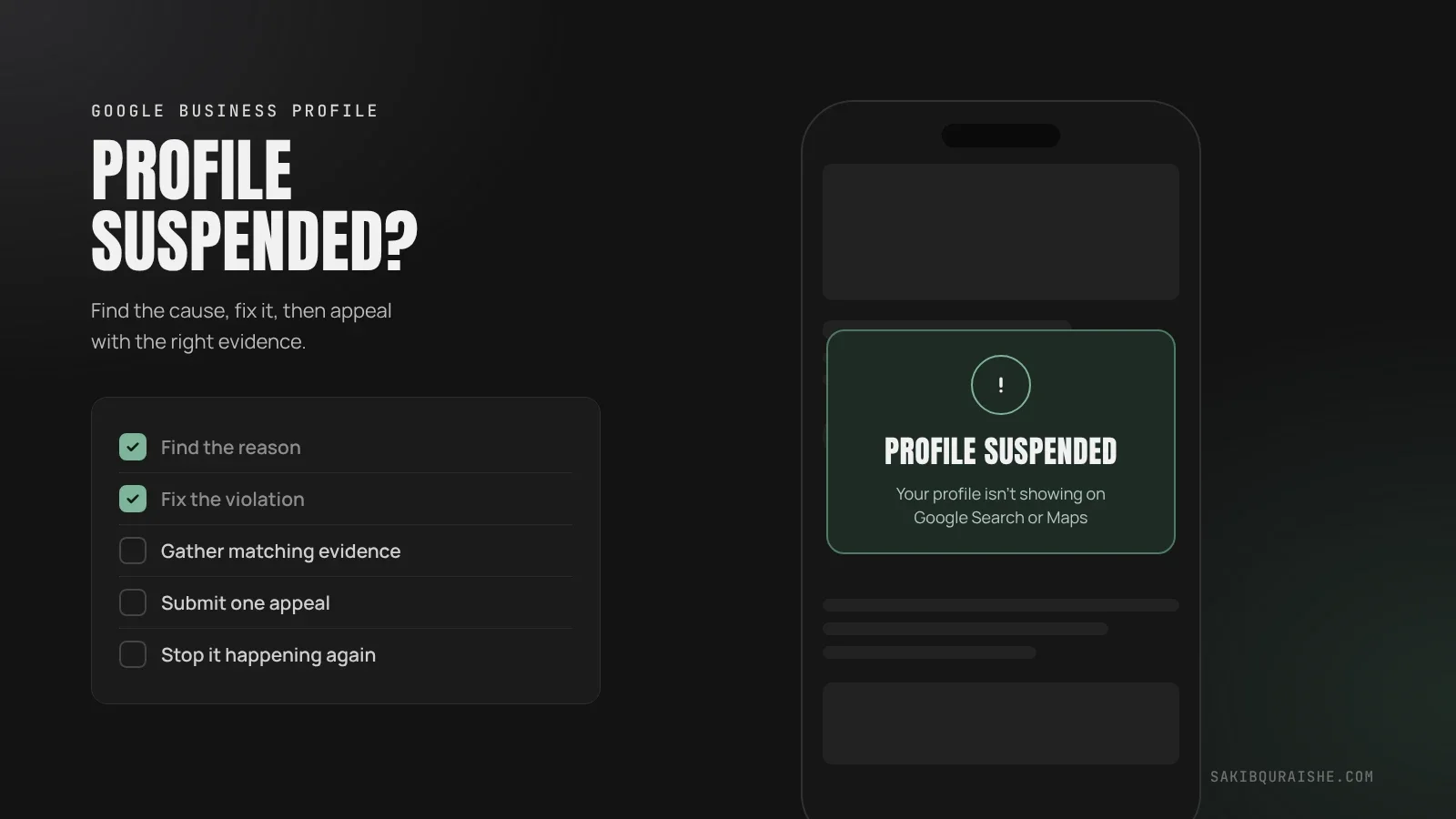
Google suspends a Business Profile when it believes the profile breaks its guidelines, most often because of a keyword-stuffed name, an address customers can't visit, duplicate listings, or a restricted manager account. To get it back, fix the problem first, then submit one appeal through Google's appeals tool with documents that match your profile exactly.
- Work out whether you have a soft suspension, a hard suspension or an account restriction. Each needs a slightly different fix.
- Fix the cause before you appeal. Google lets you appeal each decision only once.
- Send documents whose business name and address match your profile exactly.
- Never create a new profile while you wait. It makes things worse.
- Most suspensions are preventable: real name, real address, realistic service areas, one profile, trusted managers.
A suspension is one of the most stressful things that can happen to a local business, because calls can stop overnight. It hits high-spam trades like plumbing, locksmiths and garage door repair hardest. The good news: most suspensions are fixable if you follow the right order.
What does a Google Business Profile suspension mean?
A Google Business Profile suspension means Google has restricted your profile because it thinks the profile breaks its guidelines. Depending on the type, customers may still see your listing, or it may disappear from Google Search and Maps entirely.
There are three situations, and it helps to know which one you're in:
| Type | What customers see | What you can do | How to tell |
|---|---|---|---|
| Soft suspension | Your listing still shows | You can't edit or manage it | Profile shows as unverified or needs verification |
| Hard suspension | Your listing is gone from Search and Maps | You can't manage it | Searching your exact business name on Maps finds nothing |
| Account restriction | Every profile on that Google account is affected | You can't create or claim profiles | Google tells you the account itself is restricted |
"Soft" and "hard" are terms the local SEO industry uses, not Google's official labels, but they describe what you'll see.
Why was my Google Business Profile suspended?
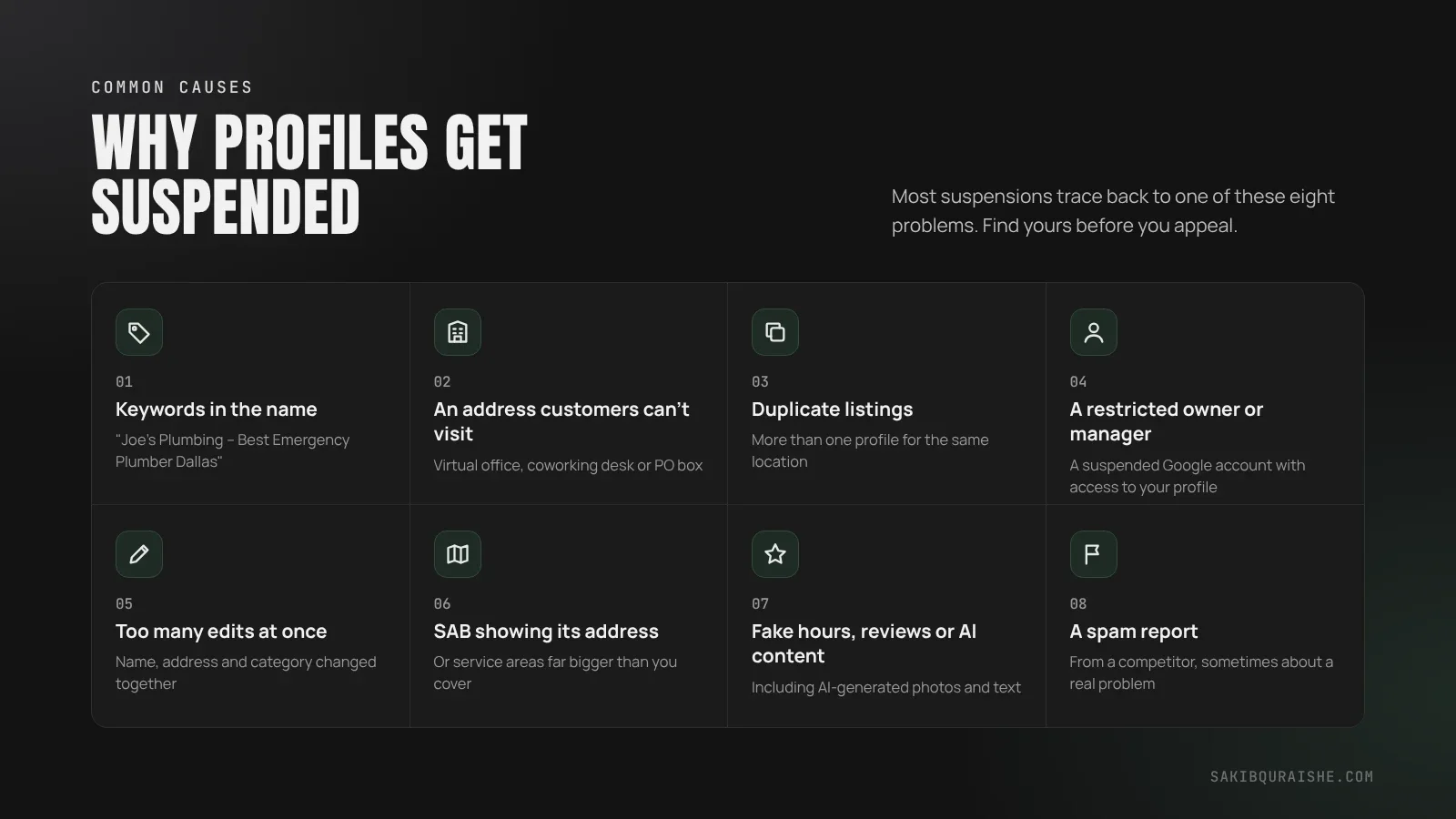
Your Google Business Profile was most likely suspended for one of these reasons, which Sterling Sky, BrightLocal and other local SEO specialists report again and again:
- Keywords in the business name, such as "Joe's Plumbing – Best Emergency Plumber Dallas".
- An address customers can't visit, such as a virtual office, coworking desk or PO box.
- Duplicate listings for the same business or location.
- A restricted owner or manager account. If someone with access to your profile has a suspended Google account, your profile can be suspended with it.
- Too many edits at once, especially changing the name, address and category together.
- A service-area business showing its address, or service areas far larger than you actually cover.
- Fake hours, fake reviews or AI-generated photos and text.
- A spam report from a competitor, sometimes acting on a real problem, sometimes not.
Some industries, such as locksmiths, garage door repair and personal injury law, see far more suspensions because Google's systems watch them closely for spam.
Many suspensions start with avoidable mistakes. See the most common local SEO mistakes.
How do you find out exactly why Google suspended you?
You find out why Google suspended you in the Google Business Profile appeals tool. Sign in with the Google account that manages the profile and select it. The tool shows the decision date, the reason, a link to the policy you broke, and whether the decision can be appealed.
Google's reason is usually broad, such as "misrepresentation". So check the profile against the Business Profile guidelines yourself, starting with the name, address and categories. Then check every person with access to the profile, since a restricted manager account is easy to miss.
How do you get a suspended Google Business Profile back?
You get a suspended Google Business Profile back by fixing the cause and then submitting one appeal. Here's the order I follow:
- Don't panic-edit. Random changes can make things worse.
- Remove any manager whose account may be restricted. Sterling Sky notes this is often faster than fixing the restriction itself.
- If your whole account is restricted, appeal that first. Google says the account restriction must be lifted before you can appeal the profile.
- Fix the actual problem: remove keywords from the name, hide an address you don't serve customers at, merge duplicates, correct hours.
- Gather your evidence (next section).
- Submit your appeal in the appeals tool, with a short explanation and your documents.
- Wait, and don't edit the profile while the appeal is in review.
What evidence should you send with your appeal?
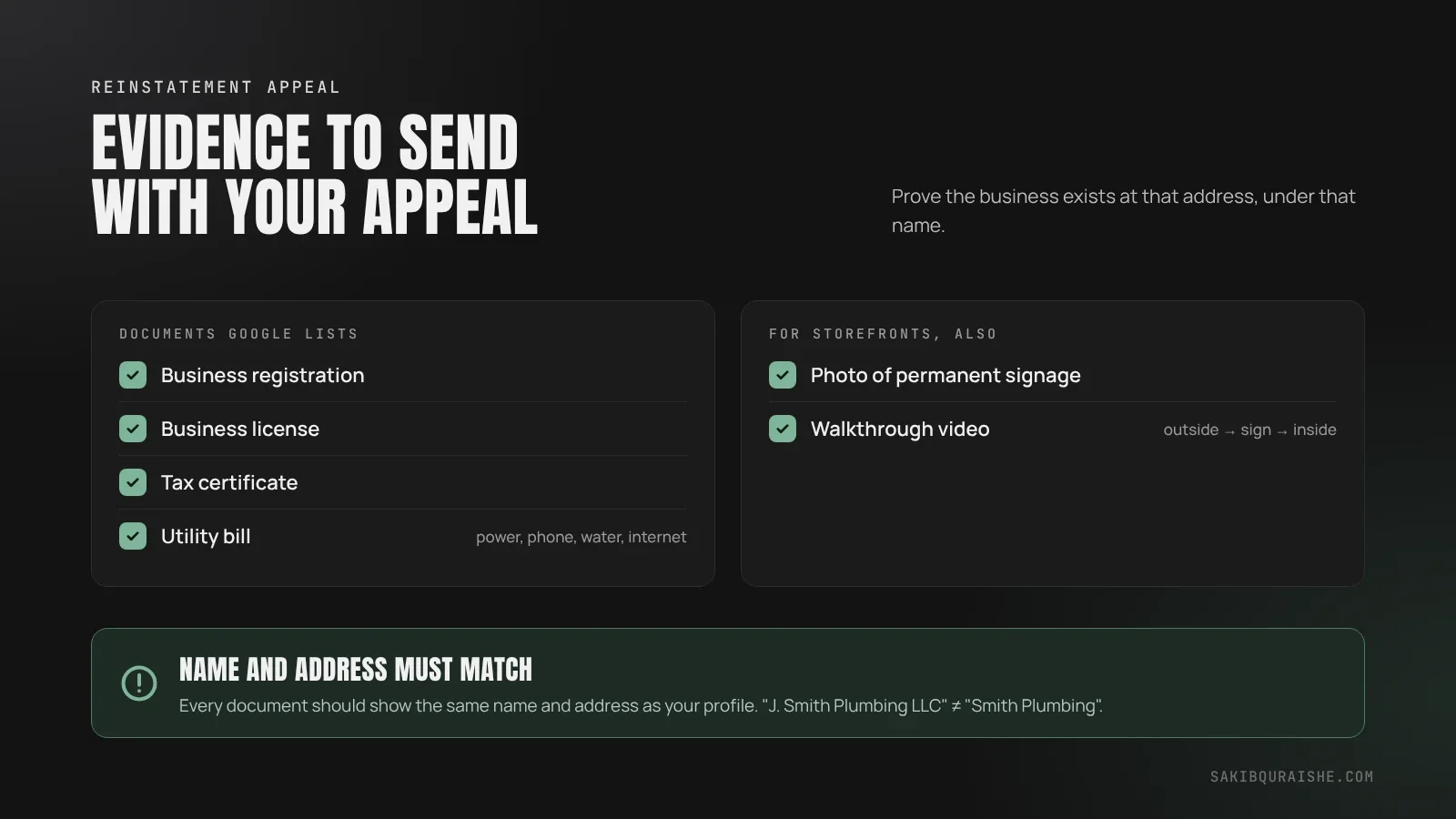
The evidence you should send is anything that proves your business really exists at the address and under the name on your profile. Google lists these:
- Official business registration
- Business license
- Tax certificate
- Utility bill (electricity, phone, water or internet)
The most common mistake: documents that don't match. Google is clear that the business name and address on each document should match the profile. If your license says "J. Smith Plumbing LLC" and your profile says "Smith Plumbing", fix that mismatch first.
For storefronts, photos of permanent signage help. Sterling Sky also suggests a short video walkthrough that starts outside the building and shows the signage, the entrance and the inside.
What should you write in a reinstatement appeal?
You should write a short, factual explanation of what your business is, what you fixed, and what you're attaching. BrightLocal notes the explanation field allows up to about 1,000 characters, so keep it tight. A simple structure:
We are [business name], a [category] serving customers at [address / in service areas]. We have reviewed the Business Profile guidelines and [describe the fix, e.g. removed the city name from our business name / hidden our address because we visit customers]. Attached are our [business license and utility bill] showing the same name and address as the profile. Please review our profile for reinstatement.
Don't argue, don't blame competitors, and don't list everything you've ever done. Facts and matching documents win appeals.
How long does Google Business Profile reinstatement take?
Google Business Profile reinstatement usually takes from a few days to several weeks. Google doesn't publish a timeframe. Sterling Sky has tracked wait times of about a week in normal periods and 5–6 weeks in early 2025, when Google had a backlog. Google emails you the decision, and you can check the status in the appeals tool.
What if your appeal is denied?
If your appeal is denied, you can't submit the same appeal again; Google allows each decision to be appealed only once. What you can do is request an additional review through Google's local appeals contact form, which its help page links to, and include evidence you didn't send the first time. This is why getting the first appeal right matters so much.
What should you never do while your profile is suspended?
While your profile is suspended, never:
- Create a new profile for the same business. Google says not to, and it creates a duplicate that can sink both listings.
- Make lots of edits hoping one sticks.
- Send documents with a different name or address from the profile.
- Pay anyone who claims to work for Google. Google doesn't charge for verification or reinstatement.
How do you stop your profile being suspended again?
You stop your profile being suspended again by removing the risks Google's systems watch for. Whitespark's 2026 Local Search Ranking Factors lists the biggest suspension risks, and they match what I see:
- Use your real business name, exactly as on your signage. Here's why: should you add keywords to your Google Business Profile name.
- Show an address only if customers visit it. If you travel to customers, hide it. See service-area business vs storefront businesses in local SEO.
- Keep service areas within about two hours' drive.
- Keep one profile per location. Here's how to find and remove duplicate Google Business Profile listings.
- Avoid AI-generated text and photos on the profile.
- Make one change at a time, and give only trusted people access, with the business holding primary ownership.
- Keep your name, address and phone consistent everywhere. Here's why NAP consistency still matters.
My Google Business Profile checklist flags every suspension risk item, so you can audit your profile in one pass.
Once you're back, build on safe foundations. See what local SEO is and how it works.
For ongoing profile management that follows Google's rules, see my Google Business Profile optimization service.
FAQ
Will I lose my reviews if my Google Business Profile is suspended? Your reviews are hidden while a hard suspension is in place and usually return when the profile is reinstated. Creating a new profile instead means starting from zero reviews.
Can I just create a new Google Business Profile instead? You shouldn't create a new Google Business Profile for a suspended business. Google says not to, and a new profile starts with no reviews or history and counts as a duplicate.
What is the difference between a soft and hard suspension? The difference between a soft and hard suspension is visibility. A soft suspension keeps your listing visible but locks you out of managing it. A hard suspension removes the listing from Google Search and Maps.
Can someone else's account get my profile suspended? Someone else's account can get your profile suspended if they're an owner or manager and their Google account is restricted. Remove anyone you don't need and keep primary ownership with the business.
Does Google charge to reinstate a suspended profile? Google doesn't charge to reinstate a suspended profile. Anyone asking for payment while claiming to be Google is a scam.
Will my rankings come back after reinstatement? Your rankings usually come back after reinstatement. Sterling Sky reported its own listings returning to previous rankings within days after a short suspension; longer suspensions can take more time to recover.
Need help getting your profile back?
If you'd rather not risk your one appeal, I can review your profile, find the cause and prepare the appeal with you. Request a free local map audit, or see my Local SEO service. For the full picture of a healthy profile, read my complete guide to Google Business Profile optimization.
Sources
- Google: Appeal a suspended or disabled Business Profile
- Google: Guidelines for representing your business
- Sterling Sky: Top reasons Google suspended your listing
- BrightLocal: GBP suspensions (1,000-character explanation field, mentioned by name)
- Whitespark: 2026 Local Search Ranking Factors
- Also read: OllyOlly, Local Dominator.