You should respond to every Google review, positive or negative, within a day or two. Keep replies short, specific and human: thank the reviewer, mention what they said, fix or acknowledge any problem, and move complaints to a private conversation. Never argue, never share private details, and never paste the same generic reply on every review.
- 89% of consumers expect owners to respond to reviews, and 50% are put off by generic, templated replies.
- Reply to positive reviews by name and detail; reply to negative ones calmly, briefly and with a next step.
- Aim to reply within 24–48 hours.
- Never reveal private details. Health businesses have been fined for it.
- Replies mainly build trust and conversions; they're not a major ranking factor.
Review replies are one of the few things on your Google Business Profile that future customers read as a direct sign of how you treat people. Done well, they win business from people who haven't met you yet. Below are the rules and templates I'd give any business owner or front-desk team.
Should you respond to every Google review?
You should respond to every Google review, including short ones and star-only ratings. BrightLocal's 2026 Local Consumer Review Survey of 1,002 US adults found that 89% of consumers expect business owners to respond, 80% are likely to use a business that responds to all its reviews, and 42% are unlikely to use a business that never replies.
Replying also seems to encourage more reviews. A Harvard Business Review study by Davide Proserpio and Giorgos Zervas found that hotels on TripAdvisor that started responding received 12% more reviews, and their ratings rose by an average of 0.12 stars.
More consumer review data in local SEO statistics for 2026.
Do review replies help your Google rankings?
Review replies help your Google rankings only a little, if at all. Google says replying shows customers you value their feedback, but it doesn't list replies as a ranking factor. In Whitespark's 2026 Local Search Ranking Factors survey, "owner responses to most reviews" ranked #122 of 187 factors for local pack rankings, while the number, recency and rating of reviews ranked in the top 15. Reply for your customers; get more reviews for your rankings. See how to get more Google reviews.
For what actually drives local rankings, see what is local SEO and how it works.
How fast should you respond to Google reviews?
You should respond to Google reviews within 24 to 48 hours. BrightLocal's 2026 consumer survey found 19% of consumers expect a reply the same day, 32% by the next day, and 81% within a week. For negative reviews, a few hours to calm down and check the facts is fine, but don't leave them for weeks.
How do you reply to a Google review?
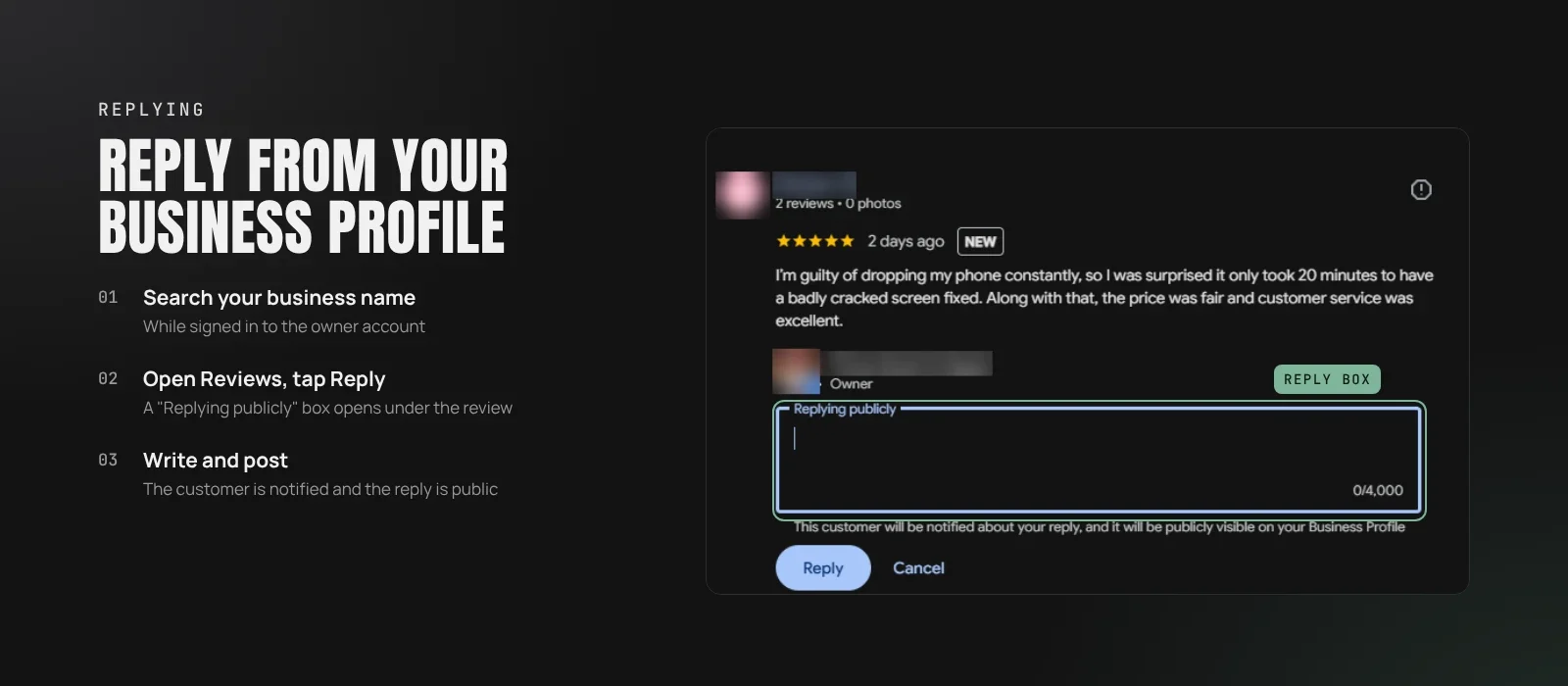
You reply to a Google review from your Business Profile: search your business name while signed in, open Reviews, select Reply next to the review, write your response and post it. Your business must be verified first. Google's help page on replying to reviews notes that Google checks each reply before it goes live, which usually takes up to 10 minutes but can occasionally take up to 30 days. The reviewer is notified, and they can still edit their review afterwards.
How do you respond to a positive Google review?
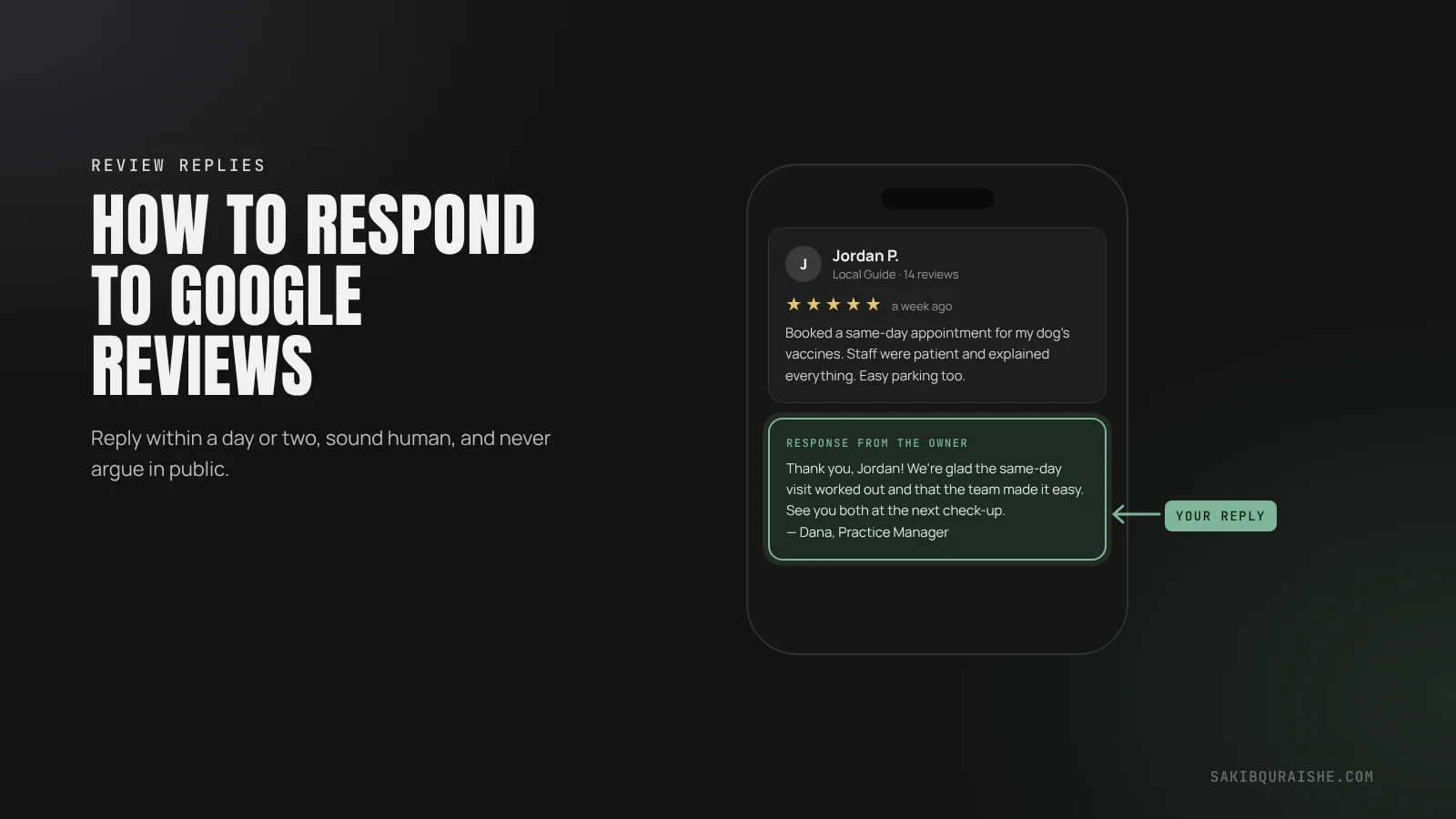
You respond to a positive Google review by thanking the person by name and mentioning something specific they said. That proves a real person read it. Keep it to two or three sentences.
Template:
Thanks so much, [first name]! We're really glad [specific thing they mentioned, e.g. "the leak was fixed the same afternoon"]. [Team member] will be happy to hear it. We're here whenever you need us again.
Variation for a repeat customer:
[First name], thank you for coming back to us again for [service]. It means a lot that you keep trusting our team, and we're glad [specific detail] went smoothly.
Tips:
- Rotate your wording so replies don't look copied.
- Mention the service naturally when it fits, but don't stuff keywords.
- Don't add a sales pitch. Google's own tips say replies shouldn't be used to advertise deals.
How do you respond to a negative Google review?
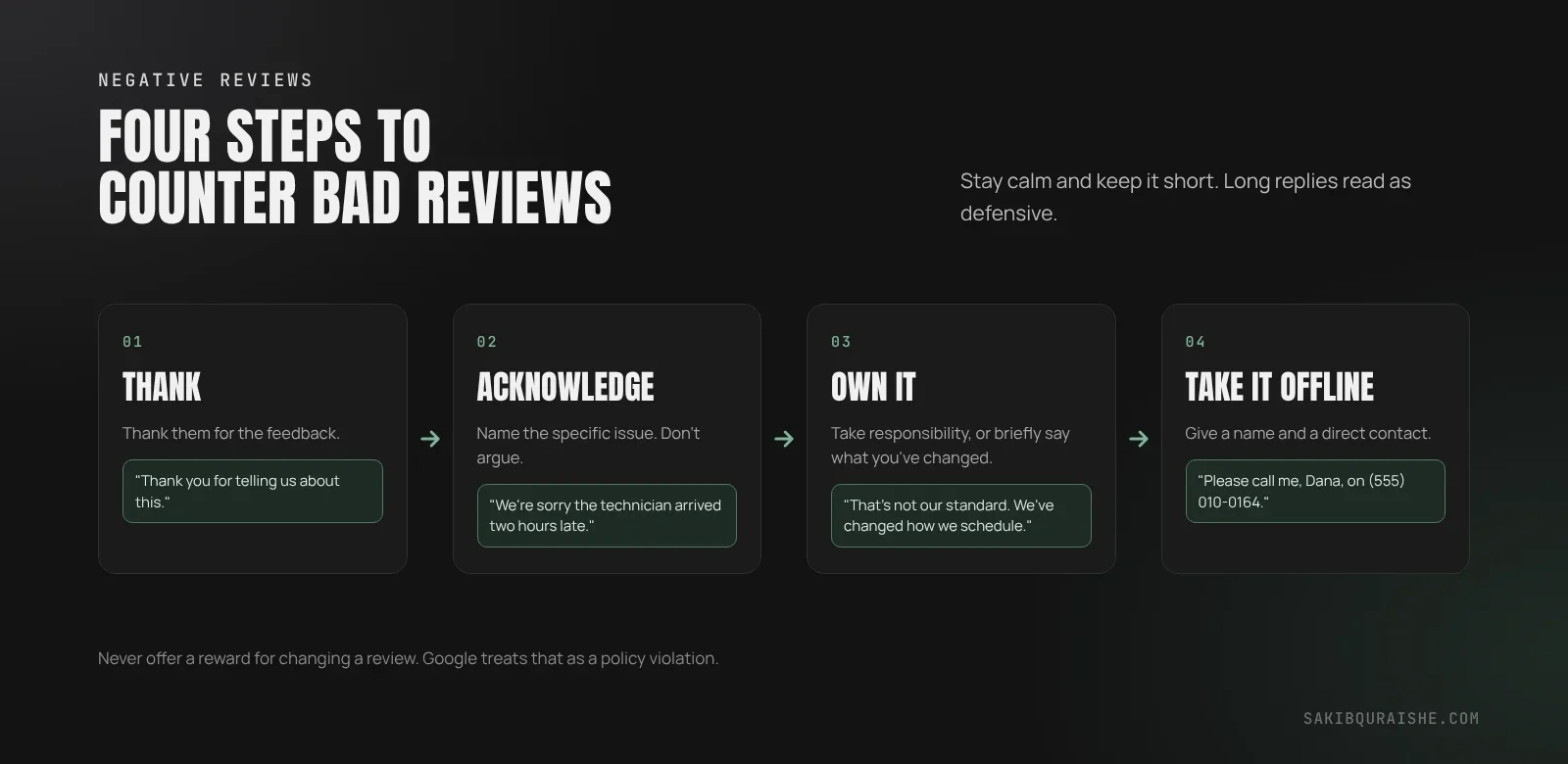
You respond to a negative Google review by staying calm, acknowledging the problem, taking responsibility where it's yours, and offering a private next step. Keep it short; long replies read as defensive.
The four-part structure:
- Thank them for the feedback.
- Acknowledge the specific issue without arguing.
- Own it or explain briefly what you're doing about it.
- Move it offline with a name and a direct contact.
Template (fair complaint):
Hi [first name], thank you for telling us about this. We're sorry [the specific issue, e.g. "the technician arrived two hours late"]; that's not the standard we hold ourselves to. We've [what you've changed, if anything]. I'd like to make this right, so please call me directly on [number] or email [address]., [Your name], [role]
Template (vague complaint):
Hi [first name], thanks for your feedback. I'm sorry your experience didn't meet expectations, and I'd like to understand what happened. Please reach me at [number or email] so we can look into it., [Your name]
After you resolve the issue offline, it's fine to politely ask whether the customer would consider updating their review. Never offer anything in exchange for changing it; Google treats that as a policy violation.
How do you respond to a mixed or 3-star review?
You respond to a mixed or 3-star review by thanking them for the honest feedback, appreciating what went well, and addressing what didn't.
Template:
Thanks for the honest review, [first name]. We're glad you were happy with [positive point], and you're right that [issue] should have been better. We're [action you're taking]. If you're open to it, I'd love to hear more: [contact].
How do you respond to a star-only review with no text?
You respond to a star-only review with a short thank-you, without inventing details they didn't give.
Template (4–5 stars):
Thank you for the great rating, [first name]! We're glad you chose [business], and we're here whenever you need us.
Template (1–2 stars):
Hi [first name], we're sorry to see this rating and would like to understand what happened. Please contact [name] at [number or email] so we can help.
How do you respond to a fake or spam review?
You respond to a fake or spam review by reporting it to Google first, then, if it stays up, replying with a short, factual note that doesn't accuse anyone. Report reviews that break Google's policies, such as spam, conflicts of interest or offensive content, using the flag option on the review.
Template:
We take all feedback seriously, but we can't find any record of a visit or job matching this description. If we've missed something, please contact us at [number or email] so we can look into it.
Don't call the reviewer a liar or a competitor in public, even if you're sure. Future customers read your tone, not the backstory. More in how to handle negative and fake Google reviews.
What should you never say in a review reply?
You should never say anything in a review reply that reveals private information, insults the reviewer or makes promises you can't keep. In particular:
- No private details: names they didn't use, what they bought, their address, their appointment or their account.
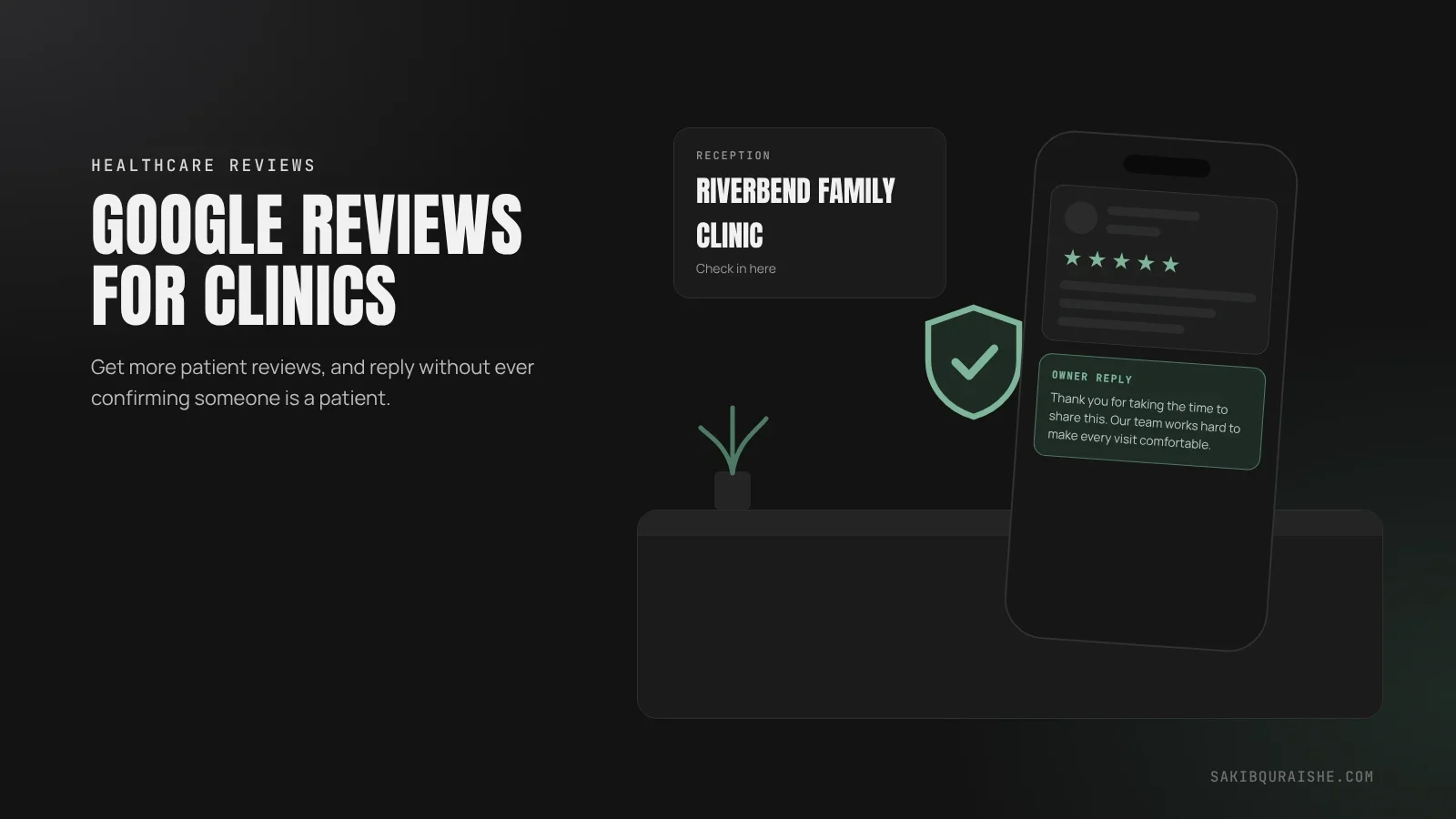
- No health or treatment details, ever, for clinics and healthcare providers. US regulators have fined providers for exactly this: New Vision Dental in California paid $23,000 after revealing patients' treatment and insurance details in Yelp replies, and Manasa Health Center in New Jersey paid $30,000 for disclosing a patient's diagnosis in a reply. See my review strategy for clinics.
- No arguments or sarcasm. You won't win, and everyone else sees it.
- No offers in exchange for removing or changing the review.
- No copy-pasted replies on every review.
Should you use AI to write review replies?
You can use AI to draft review replies, but always edit them before posting. AI is useful for speed and tone, especially for a busy owner with many reviews. The risk is sameness: BrightLocal's 2026 survey found 50% of consumers are put off by generic or templated replies. Add the reviewer's name, a specific detail and a real next step, and never let an AI reply to a complaint without a human checking it.
Who should reply to reviews?
The person who replies to reviews should be the owner or one trusted manager who knows the business and its rules. Give them clear guidelines (tone, sign-off, what never to say, when to escalate) and a weekly slot to check for new reviews. Signing replies with a first name and role makes them feel personal.
If you'd rather not handle it in-house, my Google Business Profile optimization service includes replies to every review.
FAQ
Can I edit or delete my reply to a Google review?
You can edit or delete your reply to a Google review at any time from the Reviews section of your Business Profile.
Why isn't my review reply showing on Google?
Your review reply may not be showing because Google checks replies before posting them. This usually takes up to 10 minutes but can take up to 30 days, and Google may ask you to edit a reply that breaks its policies.
Does responding to a negative review get it removed?
Responding to a negative review doesn't get it removed. Only reviews that break Google's policies can be removed after being reported.
Should I reply to old reviews I never answered?
You should reply to old reviews you never answered, starting with the most recent and any negative ones. Late replies still show future customers you care.
Can I ask a customer to change their negative review?
You can politely ask a customer to update their review after resolving their issue, as long as you offer nothing in return.
Want help managing your reviews?
Review replies and review generation are part of every Local SEO campaign I run. Request a free local map audit, or see my Local SEO service. Agencies can hand this off under their own brand with white label local SEO. For the full profile picture, read my Google Business Profile checklist.
Sources
- Google: Reply to reviews
- Google: Get reviews on your Business Profile (reply tips: polite, brief, no ads)
- BrightLocal: Local Consumer Review Survey 2026
- WARC on the HBR study by Proserpio and Zervas (2018) (open the original HBR article before publishing)
- Whitespark: 2026 Local Search Ranking Factors
- HIPAA Journal: New Vision Dental fine
- HHS: Manasa Health Center settlement
- Also read: Build Your Firm, Elfsight, Semrush, Widewail.