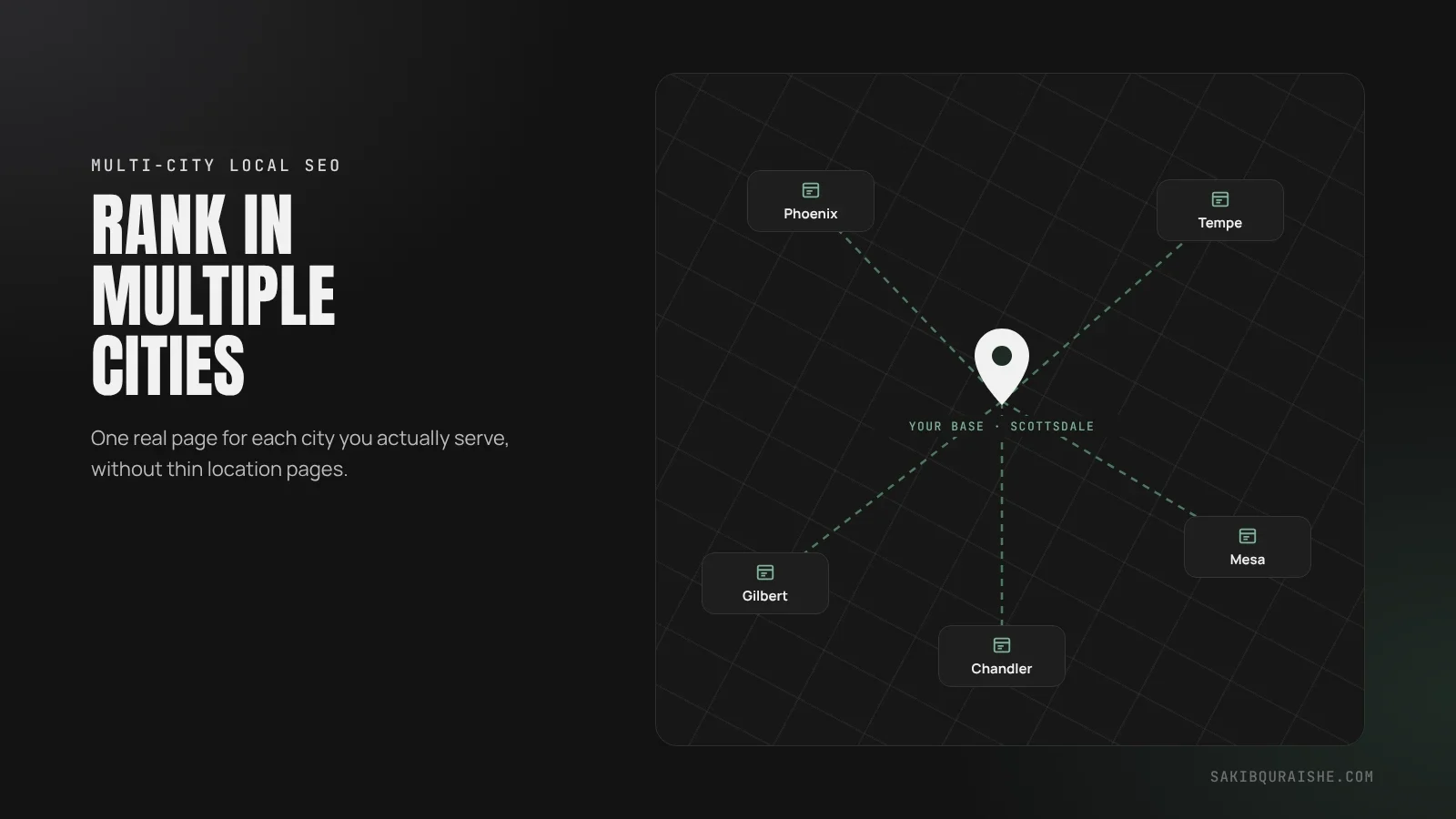
You rank in multiple cities by building one genuinely useful page for each city you really serve, backed by real local proof like jobs, photos, reviews and team details. City pages help you rank in organic results anywhere you work. Ranking in the map pack in another city usually needs a real, verified address there.
- You can rank in organic results in cities where you don't have an office. The map pack is much harder without a local address.
- Google's spam policy calls out "pages targeted at specific regions or cities that funnel users to one page" as doorway abuse.
- A city page is safe when it has things only a real local business could write: jobs, photos, reviews, team, local details.
- Pick cities where you already work. Fold small towns into one regional page.
- Never use a virtual office or fake address to get a map pin.
Most businesses that want more cities make the same mistake: they copy one page 30 times and change the city name. Google has been filtering that pattern out for over a decade. This guide shows what works instead, based on Google's own rules.
Can you rank in a city where you don't have an office?
You can rank in a city where you don't have an office, but mostly in the organic results, not the map pack. Organic results (the blue links) rank web pages, so a strong page about your roofing work in a nearby city can rank there. The map pack ranks Google Business Profiles, and each profile has one address or one service area, so it's tied much more closely to where you're based.
Google's Business Profile guidelines are strict about this. A virtual office isn't eligible, a coworking space only counts with clear signage and staff during business hours, and you can't create more than one profile per location. So "getting an office" in every city just to get a pin isn't a shortcut. It's a suspension risk.
Service-area businesses (plumbers, roofers, cleaners) can list up to 20 service areas on their profile. That tells Google where you work, but it doesn't make you rank as if you were based in each one. See service-area business vs storefront.
Google reads location even without "near me" in the search. See how "near me" searches work.
What's the difference between ranking in Maps and in organic results?
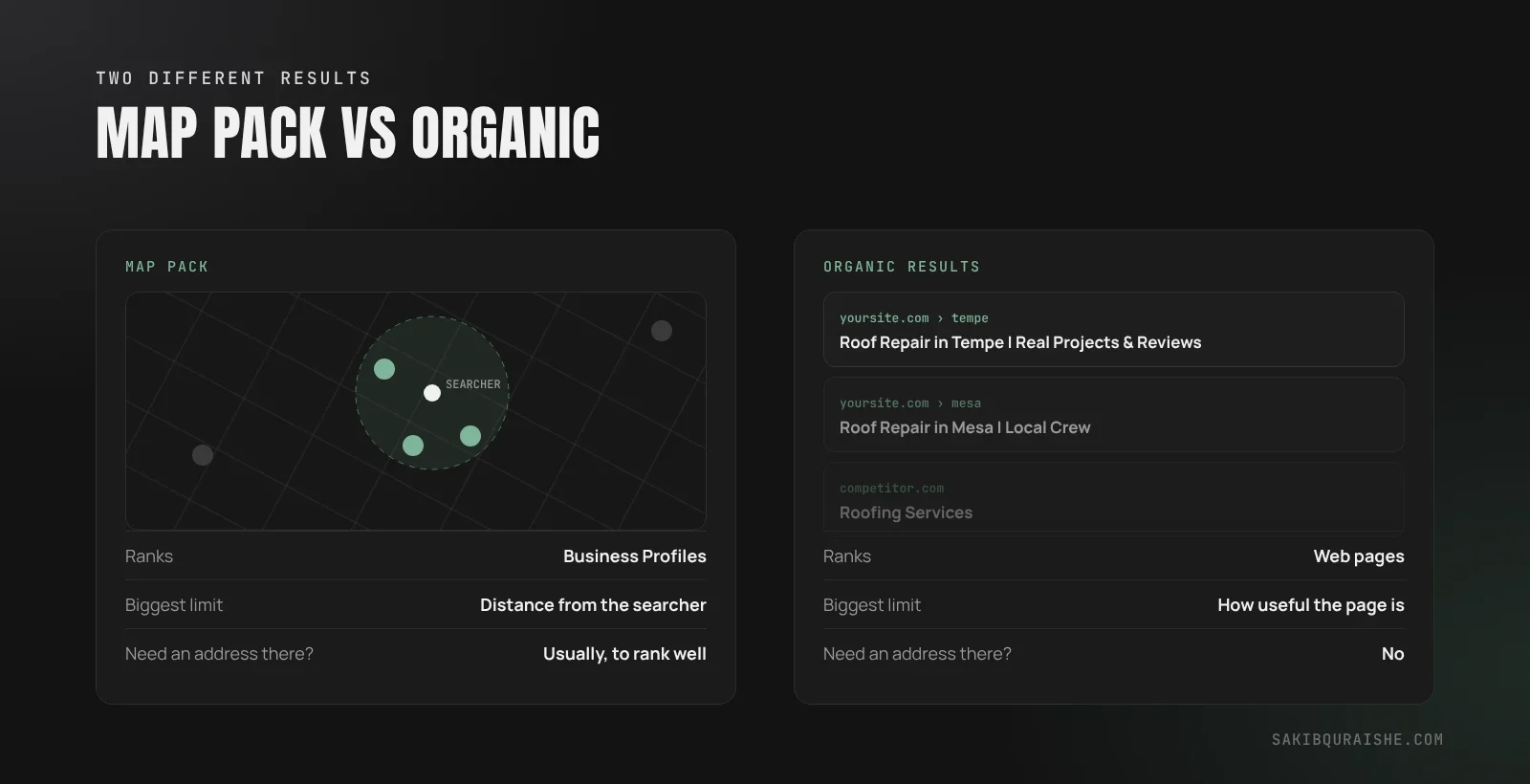
The difference between ranking in Maps and in organic results is what Google is ranking. Maps ranks business profiles, and distance matters a lot. Organic results rank web pages, and the content of the page matters most.
| Map pack / Google Maps | Organic results | |
|---|---|---|
| What ranks | Your Google Business Profile | Your web pages |
| Biggest limit | Distance from the searcher to your address | How relevant and useful your page is |
| Can a city page help? | Indirectly, by making your site stronger | Directly |
| Need an address in that city? | Usually, to rank well there | No |
Whitespark's 2026 Local Search Ranking Factors survey puts "proximity of address to the point of search" as the #2 factor for the local pack, right after primary category. That's why a business 25 miles away rarely shows in another city's map pack, however good its website is. More on this in how distance affects Google Maps rankings.
More in local SEO vs regular SEO.
What are thin or doorway location pages?
Thin or doorway location pages are pages made mainly to rank for "[service] [city]" searches, with little real content for that city. Google's spam policies list them as doorway abuse, with this example: "Having multiple domain names or pages targeted at specific regions or cities that funnel users to one page."
The classic doorway page looks like this:
- The same 500 words on every page, with only the city name changed.
- No jobs, photos, reviews or team details from that city.
- Every page funnels to the same contact form, with nothing useful along the way.
- Pages only reachable from a footer list of 50 city links.
Often Google simply doesn't index or rank these pages, so you've spent time building pages nobody sees. When Google announced its doorway update in 2015, it warned that sites with large doorway campaigns "might see a broad impact", so the problem can reach beyond the pages themselves.
Is your city page a doorway? A 5-question self-check
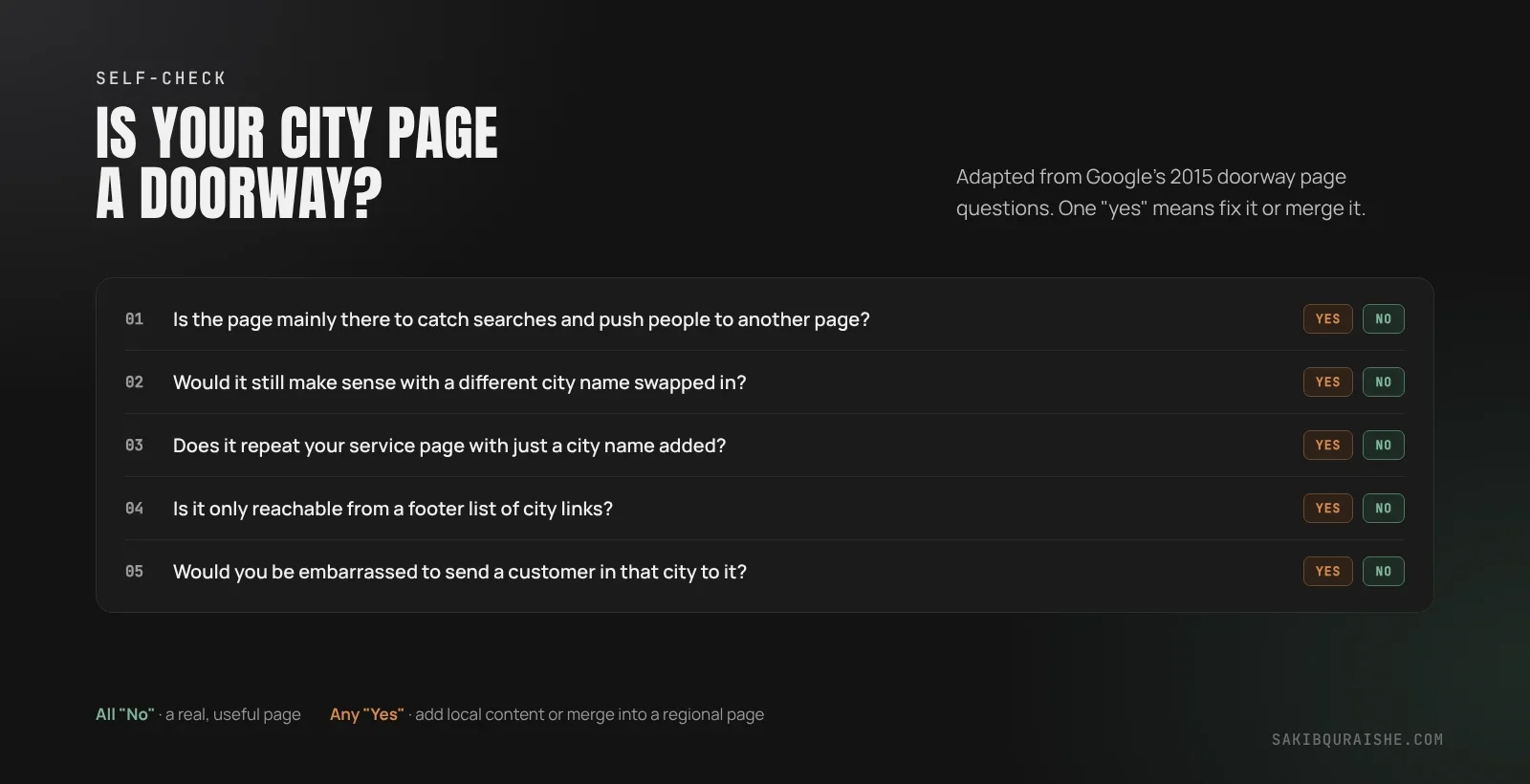
Your city page is probably a doorway if you answer "yes" to any of these. They're adapted from the questions Google published when it updated its doorway page guidance in March 2015:
- Is the page mainly there to catch searches and push people to another page, rather than being useful on its own?
- Would the page still make sense if you swapped in a different city name?
- Does it repeat content that already exists on your service pages, just with a city name added?
- Is it hard to reach from your main navigation, linked only from a footer list?
- Would you be embarrassed to send a customer in that city to it?
If a page fails, either add real local content or merge it into a regional page (more on that below).
How do you choose which cities to target?
You choose which cities to target by starting where you already have customers, then expanding outward. Score each city on five things:
| Factor | Ask yourself |
|---|---|
| Real work there | Have you done jobs or served customers there in the last year? |
| Search demand | Do people search for your service with that city's name? Check a keyword tool or Search Console. |
| Distance | Is it a realistic drive for your team? |
| Competition | Are the ranking pages strong, or thin and outdated? |
| Proof | Can you show photos, reviews or projects from there? |
Start with 3–5 cities that score well, build those pages properly, and add more once they're working.
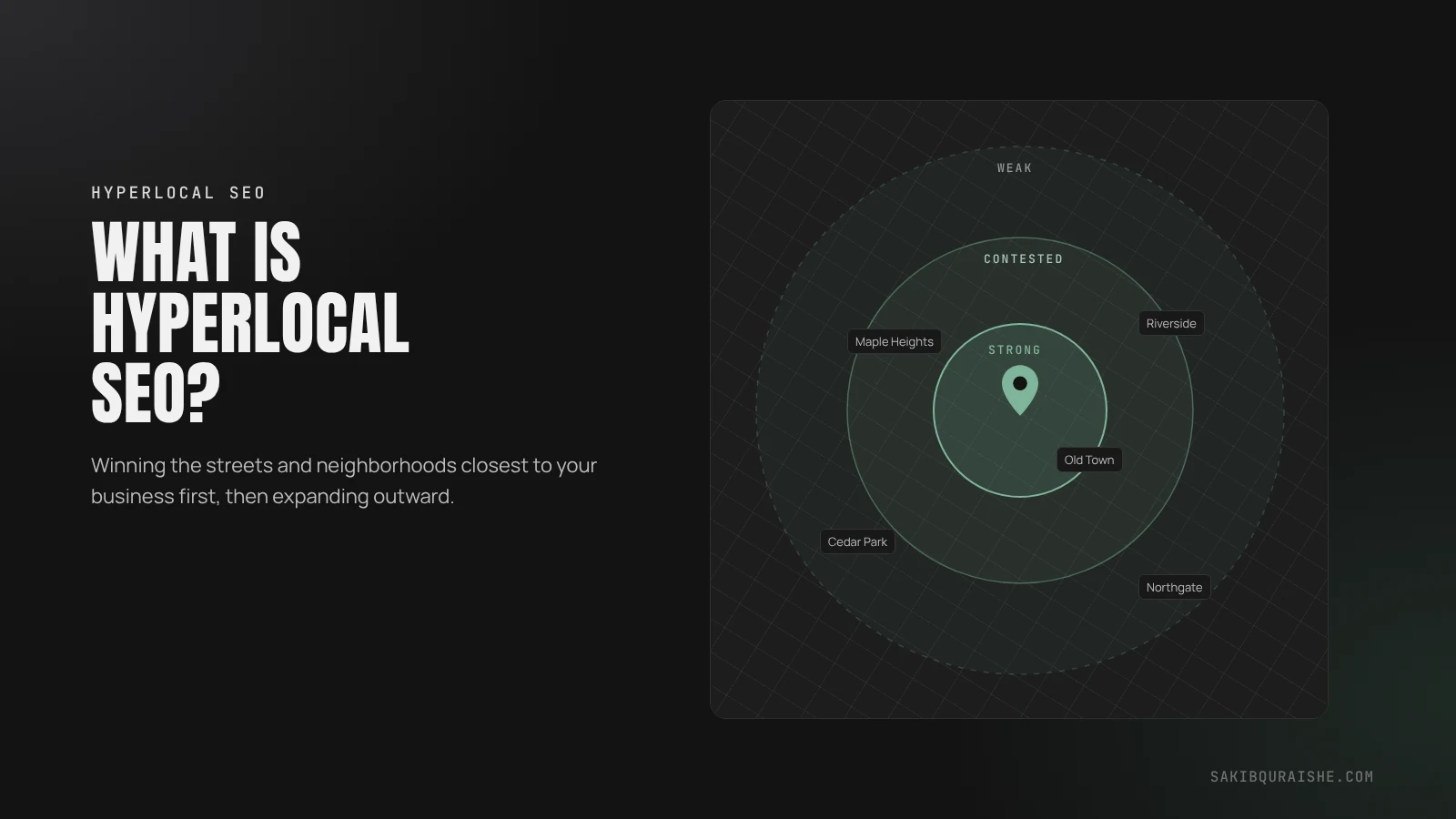
For neighborhood-level targeting, see what is hyperlocal SEO.
What should a city page include?
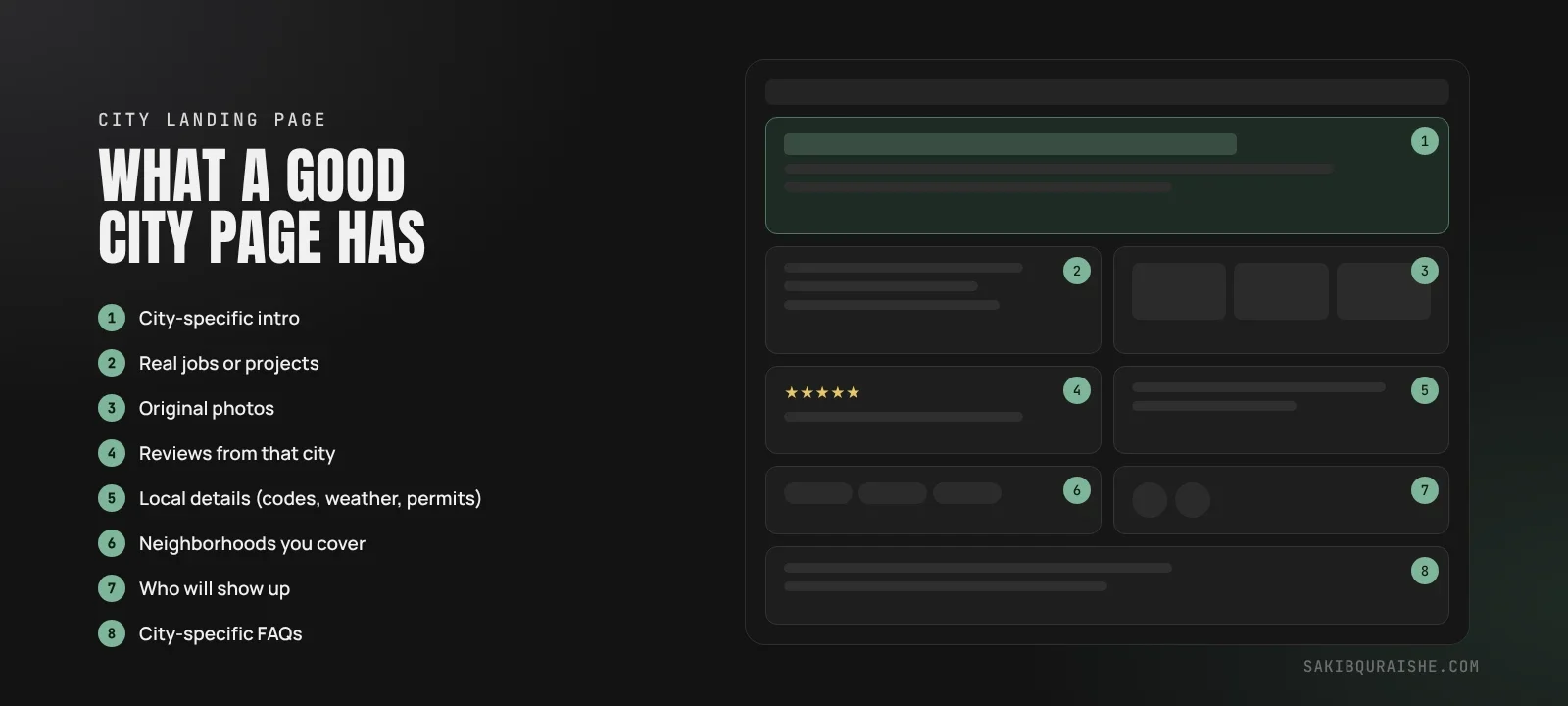
A city page should include things only a real local business could write about that city. Use this list as your checklist:
- A city-specific intro. What you do there and who you help, in your own words.
- Real jobs or projects. Two or three short write-ups with the neighborhood, the problem and the result.
- Original photos. Your team, vehicles and finished work in that city. No stock photos.
- Reviews from customers in that city, as text, ideally mentioning the area naturally.
- Local details that affect the service. Building codes, weather, older housing stock, HOA rules, permit processes.
- Neighborhoods and areas you cover in that city.
- Who will show up. The team members or crew who work that area.
- City-specific FAQs. Real questions customers from there ask you.
Add your phone number and service details, and LocalBusiness schema that matches your real business. See LocalBusiness schema. If you have a Business Profile, don't add an address in the schema for a city you're not actually located in.
How should you structure city pages on your website?
You should structure city pages in a clear hierarchy on one domain, so each page is easy to find. A simple setup:
- Service areas hub: /service-areas/ listing every city you cover, linked from the main menu.
- City pages: /service-areas/scottsdale/, /service-areas/mesa/
- Service pages: /roof-repair/, /roof-replacement/
Then link them together:
- Each city page links to the relevant service pages.
- Each service page links to the cities where you offer it.
- Nearby city pages link to each other.
- Your Business Profile website link points to the page that best matches that profile (often the homepage for a single location, or the location page for multi-location brands).
Use subfolders, not subdomains or separate websites, unless each location is really a separate business. That keeps everything on one site.
If you do have real offices in several cities, each one should have its own Business Profile and its own location page with its own address and phone. More in my National & Enterprise SEO service.
What if a city is too small for its own page?
If a city is too small for its own page, group it with nearby towns on a regional or county page. For example, one "Roof repair in the East Valley" page covering five small towns, with a short section and a project example for each, is far stronger than five thin pages.
Give a town its own page later, once you have enough jobs, reviews and photos from there to fill it properly.
Can you use AI to write city pages?
You can use AI to help write city pages, but not to produce them at scale with no real input. Google's scaled content abuse policy covers "many pages... generated for the primary purpose of manipulating search rankings", "no matter how it's created."
A safe way to use AI:
- Give it real material: job notes, reviews, photos and team details from that city.
- Use it to draft or tidy the wording.
- Have someone who knows the area check and edit every page.
If the AI is inventing the local details, the page is a doorway page with better grammar.
How do you rank in the map pack in other cities?
You rank in the map pack in other cities mainly by being based closer to them, and by being stronger than nearby competitors. Within those limits, you can widen your map reach:
- Choose the right primary category. It's the #1 local pack factor in Whitespark's 2026 survey. See Google Business Profile categories.
- Earn steady reviews, including from customers in outer cities. See how to get more Google reviews.
- Build a strong website with service and city pages, since organic strength supports map rankings.
- Keep your NAP consistent across the web. See NAP consistency.
- Open a real second location if a city is big enough to justify one. It needs its own staff, signage and hours, and its own Business Profile.
For a cash home buyer in Oak Creek, Wisconsin, the share of the tracked map grid where the business didn't appear in the map results dropped from 90% to 0% in four months, and the average map rank moved from 20.23 to 1.53. See the full case study.
For all the parts of local SEO in one place, see what is local SEO and how it works.
How do you track rankings city by city?
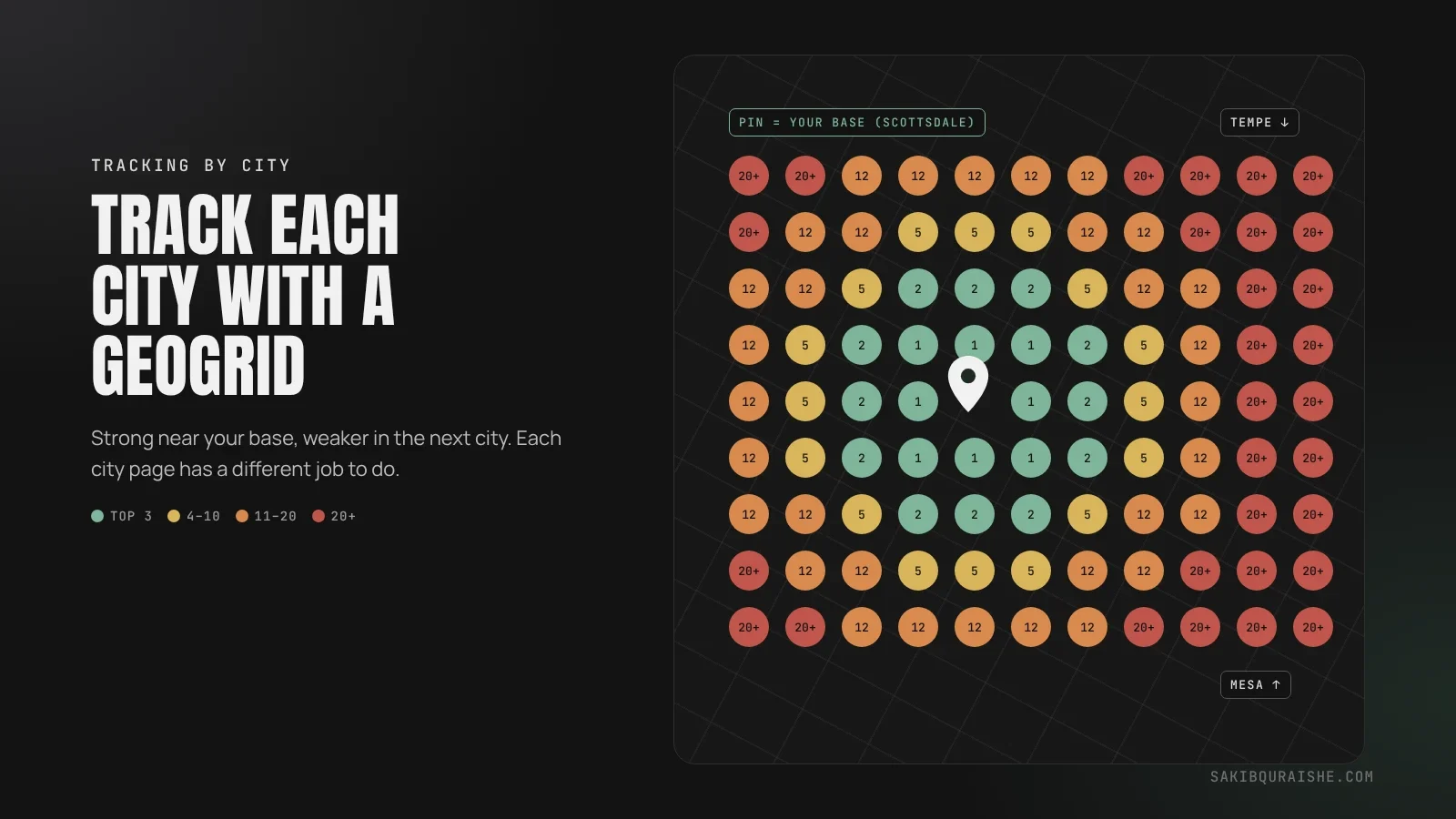
You track rankings city by city with three tools, because none of them does it alone:
- A GeoGrid scan shows where your profile ranks across a map grid, so you can see how far your map reach goes. See what is a GeoGrid scan.
- Google Search Console shows clicks and impressions for each city page. It doesn't have a city filter, so filter queries containing the city name ("roofer mesa") and filter by page.
- Calls and form leads tagged by city, so you know which pages bring customers, not just traffic.
Review each city page every quarter. Improve pages that get impressions but few clicks, and merge pages that get neither after six months.
FAQ
How many city pages should I create?
You should create as many city pages as you can fill with real local content. For most local businesses that's 3–10 to start, not 50.
Can I rank in a city without a Google Business Profile there?
You can rank in a city's organic results without a Google Business Profile there, but showing in that city's map pack is much harder without a nearby address.
Are city pages bad for SEO?
City pages aren't bad for SEO. Copied, templated city pages are. A page with real jobs, photos and reviews from that city is a useful page.
Should I use subfolders or subdomains for locations?
You should use subfolders (yoursite.com/service-areas/city/) for most businesses. Use separate domains or subdomains only for locations that run as separate businesses.
Can I use a virtual office to rank in another city?
You can't use a virtual office to rank in another city. Google says virtual offices aren't eligible for a Business Profile, and using one risks suspension. See why profiles get suspended.
Want to rank in more cities?
If you want to grow into nearby cities without risking your profile, I can map out which cities are worth targeting and what each page needs. Request a free local map audit, or see my Local SEO service.
Sources
- Google Search spam policies: doorway abuse examples and scaled content abuse definition, quoted word for word
- Google Search Central blog: An update on doorway pages (March 2015): the doorway questions (adapted) and "might see a broad impact"
- Google Business Profile guidelines: virtual offices not eligible, coworking needs signage and staff, one profile per location
- Google: service areas: up to 20 service areas
- Whitespark 2026 Local Search Ranking Factors: primary category #1, proximity #2
- Oak Creek case study: average map rank 20.23 → 1.53, out-of-map area 90% → 0% in 4 months (your own site)