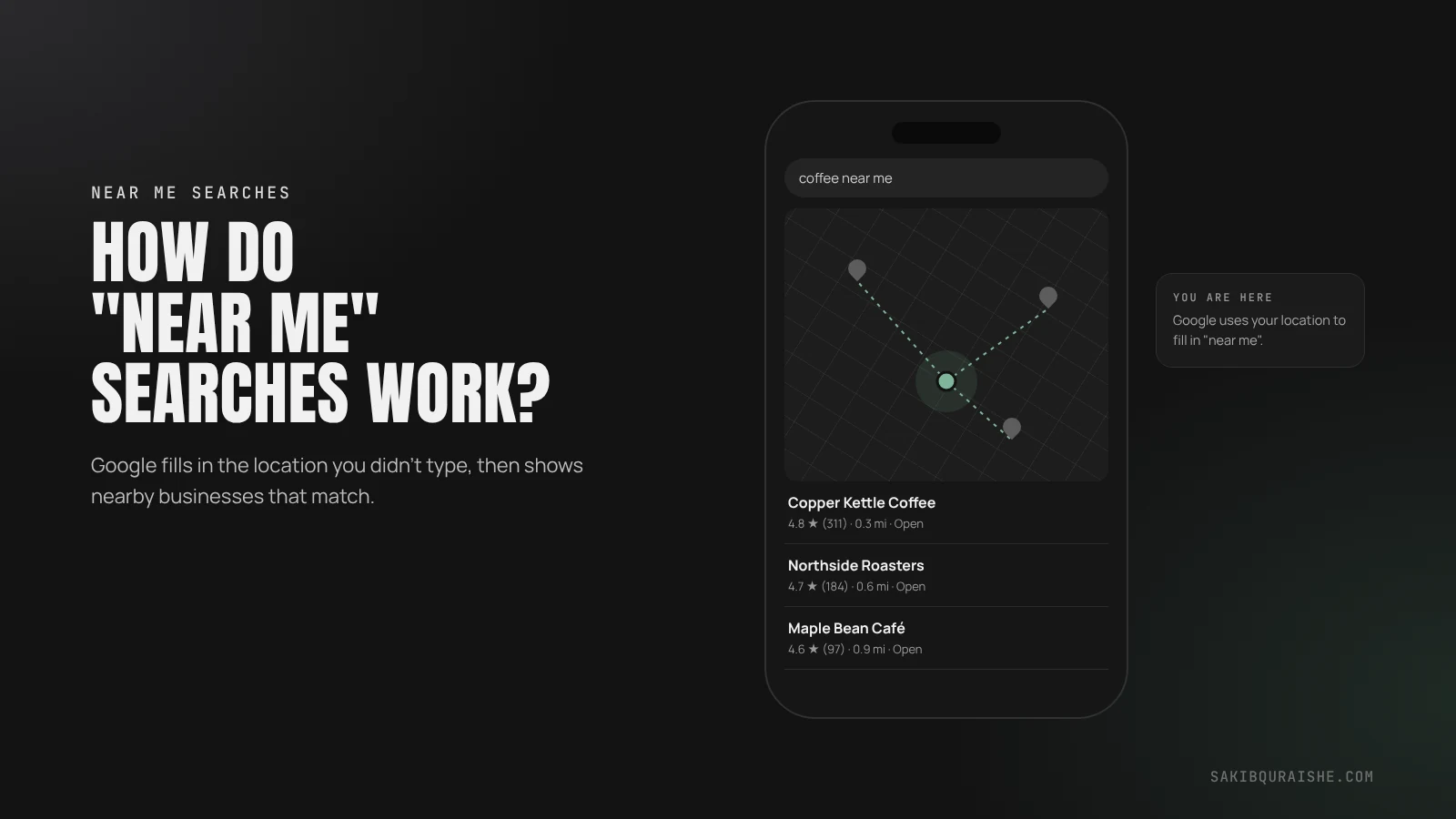
"Near me" searches work by using your location to fill in the place you didn't type. Google estimates where you are from your device's location, your saved home or work address, your recent activity or your IP address. It then shows nearby businesses that match your search, ranked mainly on relevance, distance and prominence. You don't even need to type "near me": a search like "plumber" or "pizza" is treated as local on its own.
- Google fills in the missing location using your device location, saved home or work address, recent activity or IP address.
- It ranks nearby businesses mainly on relevance, distance and prominence. Google's help page now sums this up as "relevance, distance, and popularity".
- You don't need to type "near me". Searches like "dentist" or "pizza" already trigger local results.
- Results change with where you stand, so two people in the same city can see different businesses.
- Don't stuff "near me" into your website or business name. Work on your profile, reviews and service pages instead.
- For clear "near me" searches, the map pack still leads; AI Overviews appear far less often.
How do "near me" searches work?
"Near me" searches work in three steps:
- Google works out where you are. It uses the best location signal it has, usually your phone's location.
- Google decides the search is local. "Near me", a city name, or simply the type of business ("plumber") tells Google you want something nearby.
- Google ranks nearby businesses. It picks the ones that best match your search, are close to you and are well known, and shows them in the map pack, on Google Maps and in local organic results.
People use these searches a lot. BrightLocal's 2025 Consumer Search Behavior research found 46% of consumers always or often add "near me" to local searches, and about one in five search for local businesses directly inside a map app (Google, Apple or Bing).
New to the topic? See what local SEO is and how it works.
How does Google know where you are?
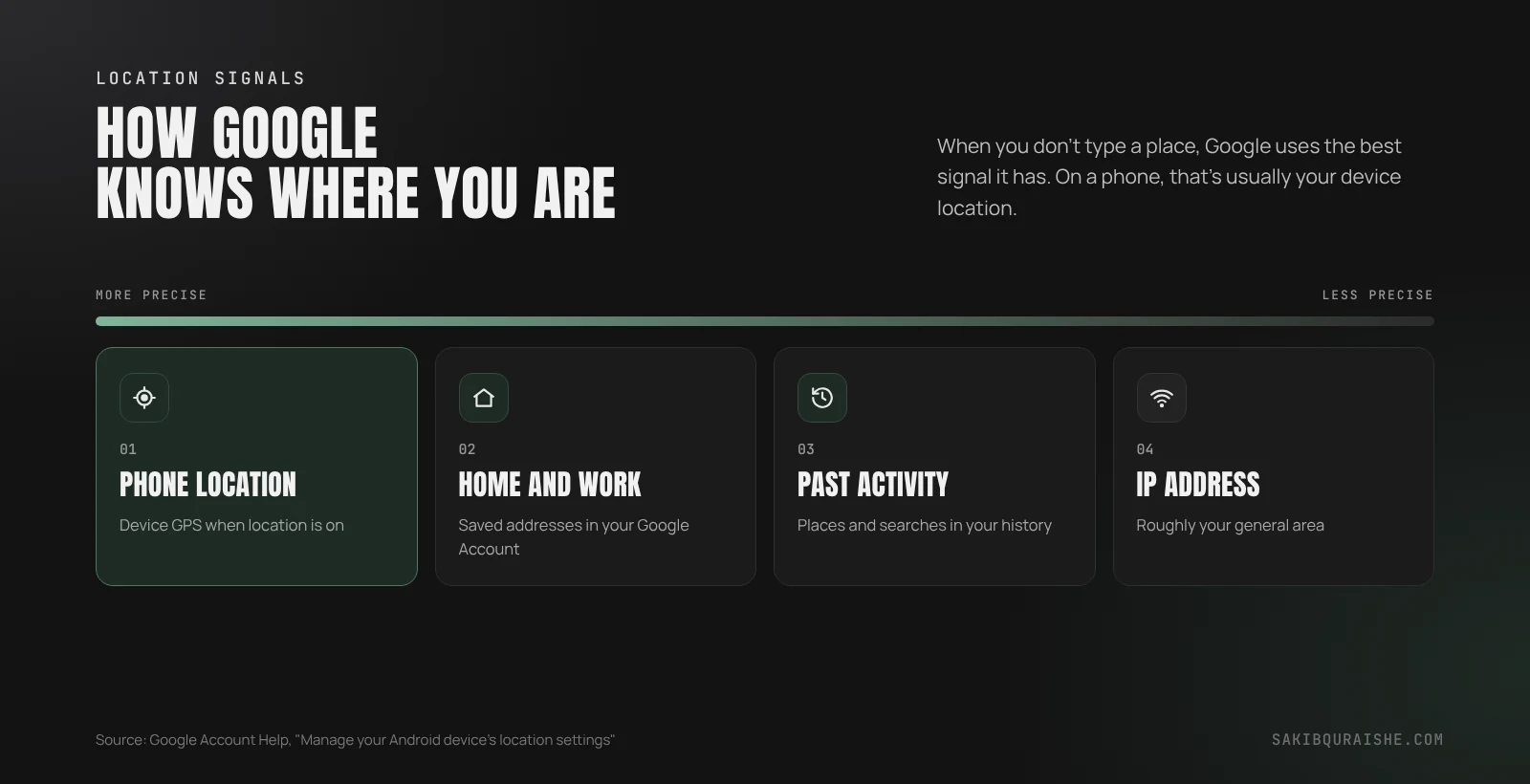
Google knows where you are from four main signals, according to its own help pages on location:
| Signal | How precise | When Google uses it |
|---|---|---|
| Device location | Most precise | Phones and many computers work out their location from GPS, Wi-Fi, mobile networks and sensors |
| Home or work address | Precise, if you saved them | When it's likely you're at home or work |
| Past activity | General area | Recent searches or activity can show the general area you were in |
| IP address | Rough | Your internet connection is "roughly based on geography" |
On a phone with location turned on, Google usually knows quite precisely where you are. On a laptop using office Wi-Fi, or with location turned off, it may only know your general area. That's why a "near me" search on a phone is often more local than the same search on a desktop.
How does Google decide which businesses to show?
Google decides which businesses to show using three main factors, explained on itslocal ranking help page:
- Relevance: "how well a Business Profile matches what someone is searching for."
- Distance: "how far each business is from the customer who's searching." If you don't share where you are, "Google uses what it knows about their location."
- Prominence: "how well-known a business is", based on things like how many websites link to it and how many reviews it has.
Google's page now summarizes local results as "mainly based on relevance, distance, and popularity." It also says "there's no way to request or pay for a better local ranking on Google."
Experts add more detail. InWhitespark's 2026 Local Search Ranking Factors survey, the top map pack factors were the primary Business Profile category, distance from the searcher, keywords in the business name, having an address in the city searched, and being open at the time of the search. That's expert opinion, not Google confirmation.
For "near me" searches, distance carries extra weight, because you've told Google you want something close. See why you rank at your office but not 2 miles away.
Do you need to type "near me" at all?
You don't need to type "near me" at all for most local searches. Google'sHow Search Works page says "when you search for 'pizza', you get results about nearby businesses that deliver." Google treats many searches as local even without a place name.
| What you type | How Google reads it | What you usually see |
|---|---|---|
| "plumber near me" | Local, near your current location | Map pack around you |
| "plumber" | Local, near your current location | Map pack around you, very similar to "near me" |
| "plumber in Tempe" | Local, in the place you named | Map pack in Tempe, even if you're somewhere else |
| "plumber open now" | Local, near you, open right now | Businesses open at that time |
| "how to fix a leaking pipe" | Not local | Articles and videos, no map pack |
Location also matters for searches without a physical place. Google's 2020 post onhow location helps provide more relevant results gives "air quality" as an example of a search where your area changes the answer.
Why do "near me" results change from person to person?
"Near me" results change from person to person because each person is searching from a different spot. The same search can show different businesses:
- A few streets apart, because distance is measured from each searcher.
- On a phone vs a laptop, because the laptop may only know your rough area.
- On office Wi-Fi or a VPN, because the IP address may point somewhere else.
- At different times of day, because open businesses can rank higher.
- Signed in vs signed out, because saved places and activity can be used.
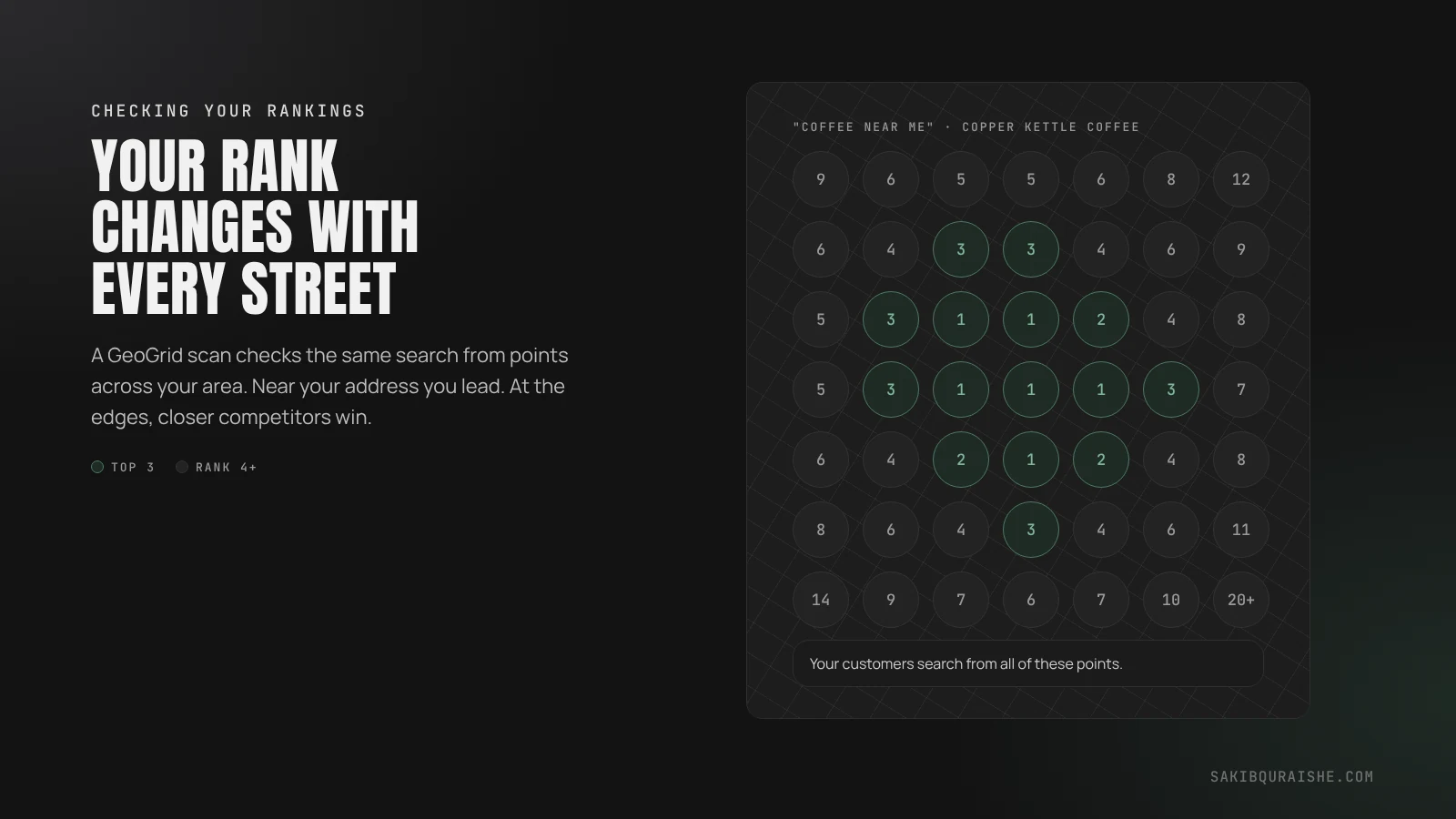
Google explains these signals in its help page onhow it uses your location when you search. This is why checking your ranking once from your own desk is misleading. Your customers are searching from all over your area. See what is a GeoGrid scan.
Does "open now" affect "near me" results?
"Open now" affects "near me" results when the search is about something people need immediately. Being open at the time of the search was one of the top five map pack factors inWhitespark's 2026 survey.
That makes accurate hours important:
- Keep your regular hours correct on your Business Profile.
- Add holiday hours before every holiday.
- Use more hours for things like delivery, pickup or emergency service, if they differ from your main hours.
- If you really offer 24-hour service, say so, but only if it's true.
Do service areas help you show up further away?
Service areas don't help you show up further away as much as most owners hope. They tell customers where you work, but Google still measures distance from your verified business location. Google'sBusiness Profile guidelines also say your service area "shouldn't extend farther than about 2 hours of driving time" from your base.
To reach further, you need stronger relevance and prominence in those areas: service pages that mention the places you work, reviews from customers there, and local links. See ranking in multiple cities without thin pages and service-area business vs storefront.
Should you put "near me" on your website or profile?
You shouldn't put "near me" on your website or profile to try to rank. Google already uses the searcher's location, so the words "near me" on your page don't make you any closer.
- Not in your business name. Google's guidelines say "including unnecessary information in your business name isn't permitted." See keywords in your business name.
- Not stuffed into page copy. "Best plumber near me" repeated on a page reads badly and doesn't change distance.
- Fine in natural places, like an FAQ ("Do you offer emergency plumbing near me?") or a heading that matches how customers talk.
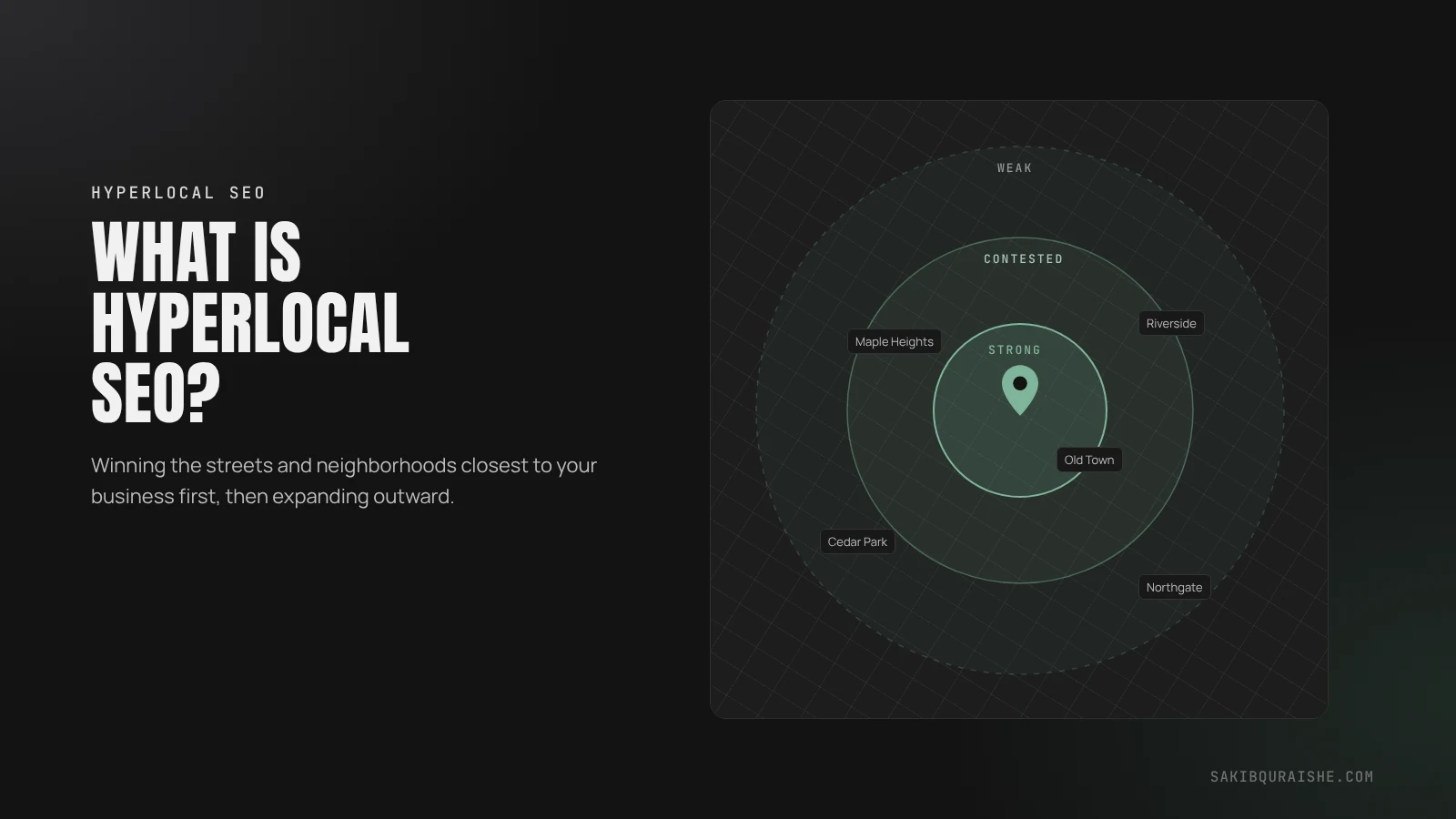
Use your real city and neighborhoods instead. "Water heater repair in Tempe and Chandler" tells Google and customers exactly where you work. More in hyperlocal SEO.
Why isn't your business showing up for "near me" searches?
Your business usually isn't showing up for "near me" searches for one of these reasons:
- The searcher is too far away. Closer businesses win when everything else is similar.
- Your primary category doesn't match the search. A "General contractor" may not show for "roofer near me".
- Your services are missing from your profile and website.
- You look closed. Wrong or missing hours can push you down at the time of the search.
- Competitors have more and newer reviews.
- Your profile isn't verified, is suspended, or has a duplicate splitting your signals. See how to find and remove duplicate listings and how to get a suspended profile back.
- Your profile is new. New profiles often need time and reviews before they show widely.
More in why your business isn't showing on Google Maps.
How do you show up for "near me" searches?
You show up for "near me" searches by making it easy for Google to see that you match the search, and that you're trusted locally:
- Choose the most specific primary category. See how to choose GBP categories.
- Fill in every service on your profile, with plain descriptions.
- Keep hours accurate, including holiday hours.
- Get steady reviews and reply to every one. See how to get more Google reviews.
- Build a page for each main service with your city and nearby areas.
- Keep your name, address and phone the same everywhere.
- Earn local links and mentions from news sites, groups and partners.
Google says a complete profile makes customers70% more likely to visit. Prefer to hand the profile work off? See myGoogle Business Profile optimization service.
How do AI tools handle "near me" questions?
AI tools handle "near me" questions differently from research questions. For clear "near me" searches, Google still shows the map pack most of the time:Whitespark's 2025 study of 540 local searches found the map pack on 93% of local-intent searches, and AI Overviews on only 15%.
AI assistants are growing, though.BrightLocal's 2026 consumer survey found 45% of consumers use ChatGPT or other AI tools to find local recommendations, up from 6% a year earlier. These tools build their answers from your Business Profile, reviews, website and what other sites say about you, so the same local SEO work helps there too. More in GEO explained or myAI Search Optimization service.
How do you check your "near me" rankings?
You check your "near me" rankings by testing from many points across your area, not just your office. Three ways:
- A GeoGrid scan. Shows your rank on a grid of points across your area, so you can see where you're strong and weak.
- Your Business Profile Performance report. Shows the searches people used to find you, plus calls, direction requests and website clicks.
- A quick phone test. Search on your phone from a few places your customers live or work. Use the same search each time.
Watch the trend over months, not one check on one day. More in local SEO vs regular SEO for what to measure on each side.
FAQ
Does Google know my exact location?
Google knows your exact location only if your device shares it. Otherwise it estimates your area from saved addresses, recent activity or your IP address.
Why don't I show up when I search "near me" from my office?
You may not show up from your office because closer competitors, a broad category or few reviews outweigh you there. Check your category, services and reviews, and run a GeoGrid scan.
Can I add "near me" to my business name?
You can't add "near me" to your business name. Google's guidelines don't allow extra words in the name, and breaking the guidelines can lead to a suspension.
Do "near me" and "nearby" work the same way?
"Near me" and "nearby" usually work the same way, because both ask Google to use your location.
Can I rank in a city where I don't have an address?
You can rank in a city where you don't have an address, but it's harder, because distance is measured from your verified location. Strong service pages, reviews and local links help.
How long does it take to show up for "near me" searches?
Most local businesses see clear map movement within 8 to 12 weeks of fixing their profile and pages. Crowded cities and new profiles can take three to six months.
Want to know where you show up?
I'll run a GeoGrid scan for your main "near me" searches and show you exactly where you appear across your area, and why.Request a free local map audit, or see myLocal SEO service.
Sources
- Google: understand and manage your location when you search
- Google: location data technologies
- Google: how local ranking works
- Google: How Search Works, ranking results
- Google blog: how location helps provide more relevant search results
- Google Business Profile guidelines
- Google: complete profile benefits
- Whitespark 2026 Local Search Ranking Factors
- Whitespark AI Overviews study (2025)
- BrightLocal local SEO statistics
- BrightLocal Local Consumer Review Survey 2026